
What an ERP connects from the accepted order to the bill
Map the records, owners and status changes that connect sales, operations and accounting. Test a partial result and trace the transaction in both directions.
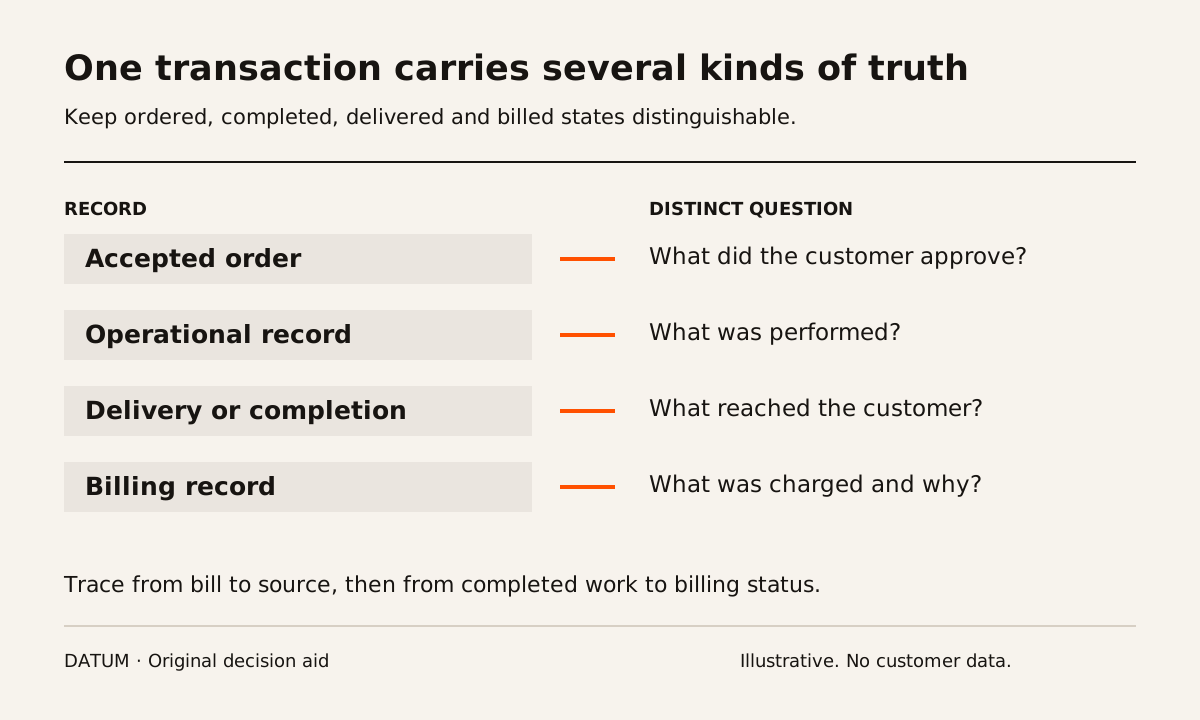
An ERP connects the business records that different teams need to complete the same transaction. Sales records what the customer approved. Operations records what should happen and what actually happened. Accounting uses the relevant commercial and operating evidence to prepare and maintain financial records.
The connection is useful when the next person can trace a record to its source and understand its status without reconstructing the story. It does not mean that every team sees every field or that one status, such as “done,” answers every question.
ERP commonly covers connected functions including accounting, purchasing and supply chain processes. The exact applications and workflow still depend on the selected product and implementation. Oracle's ERP overview.
Follow an order through distinct records
Consider a fictional manufacturer making a small assembly to order. The customer approves a quantity and delivery requirement. Production needs the correct product and revision. Shipping needs to know what can be released. Billing needs the agreed basis for charging the customer.
An implementation should define the following connections explicitly. The names of the records may differ across systems; the business questions remain useful.
| Record | What it establishes | What the next person needs |
|---|---|---|
| Customer and contact | Who is involved and how they are identified | Correct delivery and billing relationships |
| Accepted order | What was commercially approved | Product, quantity, revision and agreed conditions |
| Operational demand | What must be supplied or performed | A traceable link to the accepted requirement |
| Production or service record | What work was planned and completed | Actual quantities, evidence and unresolved exceptions |
| Delivery or completion record | What reached the customer or was completed | Date, quantity and relevant acceptance evidence |
| Billing record | What was charged and on what basis | Source references and review status |
| Payment record | What was received and how it was applied | A traceable relationship to the amount due |
This is a proposed record map, not a required accounting sequence or a promise that every ERP creates these records automatically. For example, a deposit may be collected before delivery. The system must represent the business's agreed process rather than force every transaction into the simplified example.
Give each important fact one responsible owner
The map exposes a question that a feature list can miss: which record is authoritative when two screens disagree? Decide who owns the accepted quantity, delivery address, product revision and completed quantity. Then define how an approved change reaches the people relying on that fact.
A shared database does not settle conflicting instructions. If a salesperson changes the requested revision after production begins, the business needs a decision about the work already performed and the new requirement. The implementation must make that decision visible at the right point.
Use the ERP versus CRM worksheet if you are deciding whether the main need is managing customer relationships or connecting the operating transaction. Both can matter, but they are different scopes of work.
Test a partial result
In the fictional example, the customer orders ten assemblies and six are ready for shipment. Ask the proposed setup to show what was ordered, produced, delivered and still outstanding. Those quantities should remain distinguishable. Do not accept a single “complete” label as the whole explanation.
Then ask the billing owner what should happen under the agreed commercial terms. The answer may depend on delivery, a milestone or another approved condition. This guide does not choose that policy. It requires the policy and its evidence to be explicit before the software is judged correct.
Use the one-order ERP readiness check to decide whether the current handoff warrants a small repair, a connection between existing tools or a broader implementation.
Inspect the connection in both directions
Start at the bill and ask the reviewer to find the accepted scope and completion evidence. Then start at the operational record and ask whether it has already been billed. Both directions matter: one supports explanation, while the other helps the office identify work awaiting a decision.
Record missing links rather than compensating for them during the demonstration. If the presenter must open an unrelated spreadsheet, copy an identifier or ask a colleague, capture that dependency. It may be acceptable, but it belongs in the operating design.
Finally, test a correction. Change a permitted detail in the test case and inspect which records update, which remain historical and which need review. Do not assume that copying a new value everywhere is always correct. Accepted documents may need to preserve their original context.
The resulting map should fit on one page: records, owners, links and important status differences. That page gives the implementation team something more useful than a request to “connect everything.” It defines the facts each person needs to finish the next step and the evidence that will show whether the connection works.