
ServiceTitan vs Simpro: test the field-to-office handoff
Compare ServiceTitan and Simpro using one unfinished service visit. Test the technician, dispatcher and billing handoffs in the proposed package.
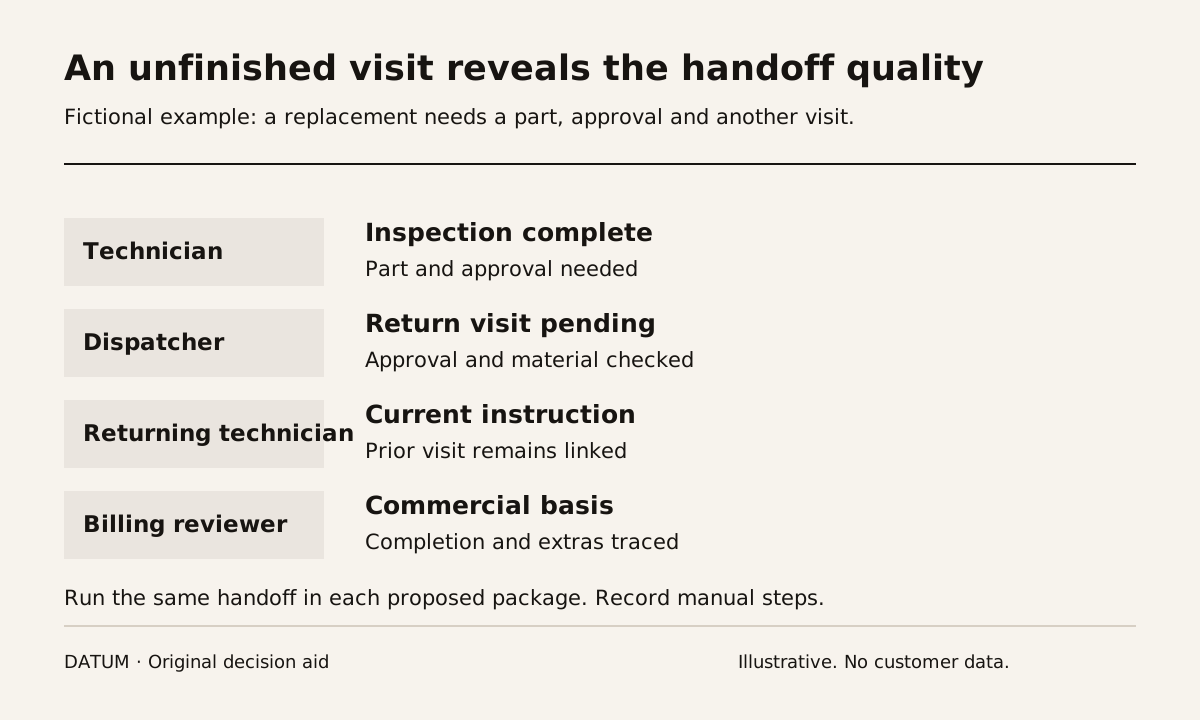
Compare ServiceTitan and Simpro by having your dispatcher, technician and billing reviewer complete the same service visit. Include a return visit or an unresolved extra so the demonstration exposes how work moves between people. The better fit is the proposed setup that handles those handoffs with understood limits and a delivery scope your team can support.
ServiceTitan presents scheduling, dispatching, a field mobile app and accounting integrations among its capabilities. Simpro presents estimating, scheduling and dispatching, mobile tools, invoicing and inventory management. Those published categories justify a closer look; they do not prove that the quoted package includes every function or that the workflow already matches your business. ServiceTitan and Simpro.
Give both demonstrations the same unfinished job
Prepare a fictional service case that resembles your work. A technician visits a commercial site, completes an inspection and finds a part that needs replacement. The part is unavailable, so the job requires a return visit. The replacement also needs a customer decision before the office schedules it.
Write down what each person should know at the end of the first visit: work completed, equipment involved, required part, approval status and who owns the next action. Do not let the presenter substitute a simpler fully completed visit halfway through the comparison.
Use the job-tracing exercise to gather a real example if the team struggles to agree on a scenario. Remove customer details unless their use in the evaluation is authorized.
Observe each handoff from the receiving person's view
The most revealing screen is often the one opened by the next person. Ask each participant to continue from the saved record without receiving an oral explanation from the demonstrator.
| Handoff | Receiving person must establish | Evidence to keep |
|---|---|---|
| Office to technician | Correct site, scope and equipment context | Assigned work opened on the intended device |
| Technician to service lead | What was completed and what remains | Saved findings, part requirement and unresolved decision |
| Service lead to dispatcher | Whether a return visit may be scheduled | Approval and material-readiness state |
| Dispatcher to returning technician | Why the visit exists and what to bring | Linked history and current instructions |
| Field to billing | What may be billed under the agreement | Completion evidence and approved commercial basis |
Record manual calls, copied notes and separate spreadsheets. They may be acceptable in a defined process, but they must appear in the comparison rather than disappear behind the presenter's familiarity with the product.
Test the device and the correction
Use the actual type of phone or tablet your technicians carry, with the proposed app and access method. The real-device test method is reusable as a workflow exercise, although its Odoo-specific product statements should not be transferred to either vendor.
Interrupt a draft note, save a photograph to the wrong test visit and then correct it. Ask the office to read back the final state. Do not infer offline capabilities from the existence of a mobile app. Have each vendor state the supported conditions and demonstrate the behavior your team requires.
Next, change the return-visit requirement. Perhaps the customer declines the replacement or the part becomes available earlier. Inspect who receives the update and whether an outdated instruction remains on the technician's work list. This is a proposed test, not a claim about default notification behavior.
Keep software fit separate from implementation promises
For every gap, capture one of four answers: demonstrated in the proposed setup; configuration required; an additional product or integration is required; or a manual step remains. Ask for the exact commercial inclusion and delivery owner behind the answer.
Include your accounting connection if it matters to the choice. A successful invoice transfer does not establish how an amended invoice, failed transfer or duplicate is handled. Have the person responsible for the books review the intended boundary and local requirements.
The field-service billing guide helps define the completion evidence, included materials and approved extras to inspect. Keep those business rules identical across the comparison.
Do not score either platform using unverified claims about company size, technician count or universal ease of use. Capture how your intended roles performed in the test and which open issues change the decision.
The final comparison should contain the tested package, device, roles, saved handoff evidence and unresolved delivery work. Request another bounded demonstration where a material answer remains unclear. That gives the selection a basis the operations team can inspect instead of relying on a product tour that no one can reproduce.