
ServiceTitan vs FieldEdge: Follow dispatch through closeout
Compare ServiceTitan and FieldEdge with the same job reassignment, field completion and billing review. Includes a dispatch-to-closeout evidence script.
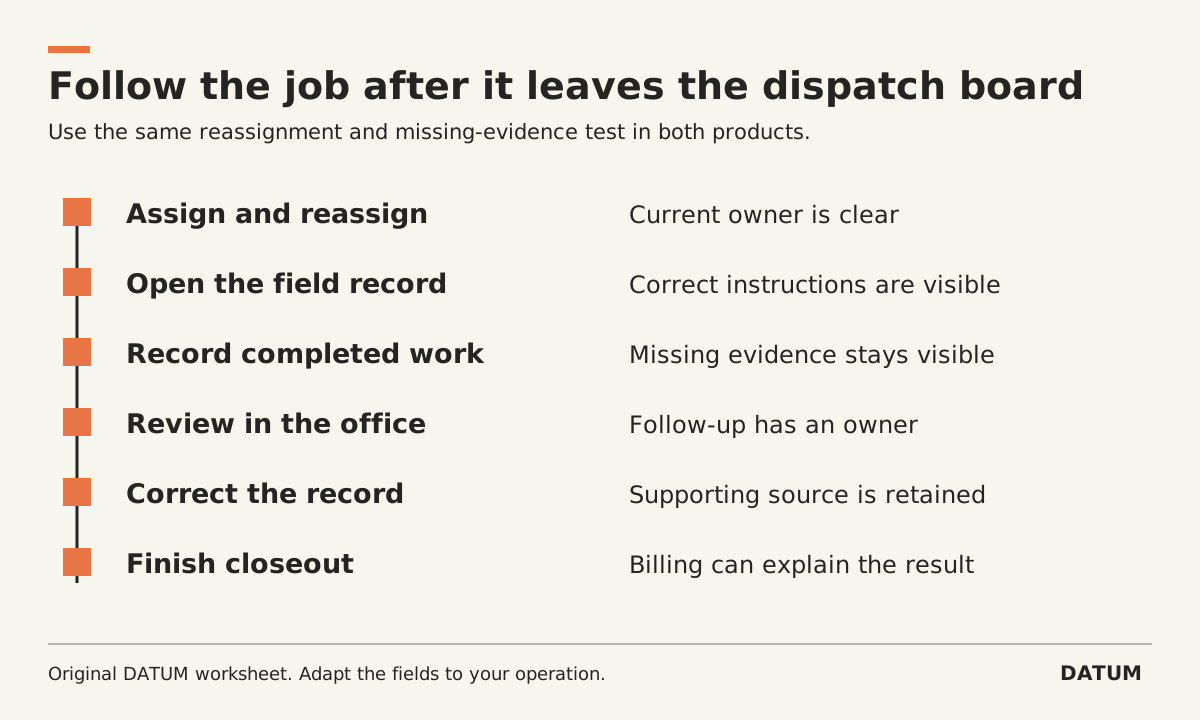
Compare ServiceTitan and FieldEdge by following one service job from assignment through closeout, including a reassignment and missing completion evidence. The dispatch board is only the beginning; the office must still know who owns the job, what happened and what remains before billing can finish.
Use the same sanitized job and business rules in both demonstrations. This article provides an evaluation script, not a verdict about either product or a report of hands-on tests.
Identify the product configuration being shown
ServiceTitan's core Dispatching documentation describes managing technician schedules and coordinating appointments, including rescheduling work. Keep core dispatching separate from any proposed Dispatch Pro capabilities and ask the provider to identify what the quote includes. ServiceTitan Dispatching
FieldEdge's field-service product page describes dispatching work orders, matching assignments to technician information, monitoring work-order status and field quoting/invoicing. Those descriptions identify areas to test, not proof of every requirement in your workflow. FieldEdge field-service software
Record the plan, enabled features, mobile app, devices and accounting connection used. If a demonstration relies on an extra product or integration, write it into the scope rather than letting it disappear behind a single vendor name.
Prepare a job that cannot be closed by guessing
In an invented scenario, a service job is assigned to technician A. The dispatcher later reassigns it to technician B. The visit is completed, but a required material detail is missing. The office must obtain that detail before preparing the bill under the supplied process.
Provide the vendors with a job reference, authorized work, scheduling constraints and required completion evidence. State who may reassign the visit and who may correct the missing information. Do not ask software to infer your billing or approval policy.
Use this dispatch-to-closeout script
| Step | Ask the demonstrator to show | Evidence to save |
|---|---|---|
| Assign | Put the job on technician A's schedule | Job ID, assignee and intended timing |
| Reassign | Move responsibility to technician B | Current assignment and what each technician sees |
| Open in the field | Use B's ordinary mobile role | Correct job, instructions and relevant history |
| Record work | Enter the completed work with one required detail absent | Completion state and visible exception |
| Office review | Have billing identify the missing detail | Assigned follow-up, without an invented value |
| Correct | Supply the supported detail through the permitted role | Updated evidence and explanation |
| Prepare closeout | Follow the agreed review and billing sequence | Final state and supporting references |
Score the result from records, not a narration of what could happen. A step may be shown, dependent on configuration, dependent on additional work, or unresolved. Use the same states for both candidates.
Look at both sides of the reassignment
After the job moves to technician B, inspect the views available to both technicians and dispatch. Can the responsible person identify the current assignment? How is a late update from the original assignee handled? What should happen if that person already began recording work?
Those questions are proposed tests. They do not imply that either product fails them. Define a supported test sequence with the vendor and avoid using a contrived action that normal users cannot perform.
Include the communication your team actually uses. A changed dispatch record and a customer notification are separate events. Ask which notifications are configured, who can send them and how the office can see their status. Do not send live customer messages during a test.
Treat incomplete closeout as a workflow state
A technician may finish the physical visit before the office has a complete billing record. Ask where the missing evidence lives, who owns the follow-up and what prevents the job from being forgotten.
Have your billing person use the final record without the presenter's explanation. If they need to call the technician to understand an unexplained quantity, record the requirement that remains unresolved. A mandatory field only helps if it captures the information the office actually needs.
The field-service worksheet guide offers a detailed method for defining completion evidence. Its Odoo-specific behavior should not be transferred to ServiceTitan or FieldEdge; use the business questions and test each product's own configuration.
Compare the work required to keep the process running
For each candidate, list configuration, migration, training, integration and support ownership alongside the demonstration results. Inspect a failed transfer to the accounting system if that connection is part of the proposal. Require an explainable recovery path rather than assuming the final sync icon proves correctness.
Choose based on the demonstrated job, the unresolved requirements and the team responsible for maintaining the flow. The comparison should let dispatch, the technician and billing explain their next action from the same job evidence.