
Choose ERP software with five recent jobs or orders
Turn five recent jobs or orders into a fair ERP selection demonstration. Compare evidence, exceptions and delivery work before scoring a vendor.
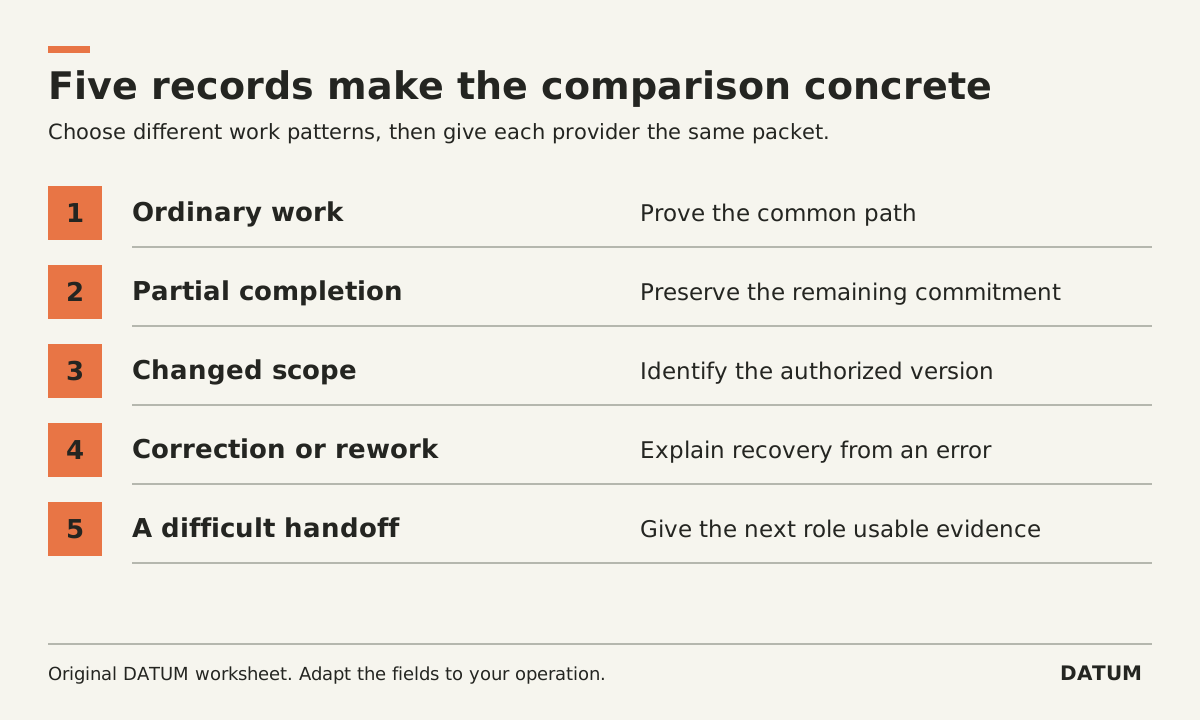
Use five recent jobs or orders to turn an ERP shortlist into a comparison your operating team can judge. Select different kinds of work, give each provider the same permitted evidence, and ask them to demonstrate the decisions that were difficult in the current process.
Five is a manageable workshop design, not a statistically validated sample or a guarantee that every requirement will be covered. The point is to expose meaningful variation without spending the entire evaluation watching a vendor's preferred happy path.
Choose the records for what they reveal
If you have not yet mapped a current process, start by tracing one job before changing software. This exercise comes afterward: it expands that understanding into a fair selection packet for several candidate systems.
Pick recent records that people can still explain. Use authorized, sanitized copies and remove unnecessary customer or employee information before sharing them with providers.
| Job or order | Why it belongs in the packet | Decision to demonstrate |
|---|---|---|
| Ordinary completed work | Establishes the common path | Can each role finish and hand off the work? |
| Partial delivery or completion | Exposes remaining commitments | What is done, what remains and who acts next? |
| Changed scope or revision | Exposes approval and version handling | Which version is authorized for the work? |
| A return, correction or rework | Exposes recovery from mistakes | Can staff correct the record without losing the explanation? |
| A handoff that required chasing | Exposes missing information | Can the next role continue without private messages? |
One record may fit several categories. Avoid letting a dramatic but rare failure dominate the whole evaluation. Write down how often each pattern occurs if you have reliable records, and label any frequency estimate as an estimate.
Translate the history into a repeatable demo
For each example, prepare the starting data, business rule, action and expected evidence. Do not ask vendors to reproduce every quirk of your current system. Ask them to achieve the business outcome with an explainable workflow.
For a partial-production example, the outcome might be: the completed quantity is recorded, the remainder remains visible, and the planner can identify the next action. Odoo 19.0's documented manufacturing-backorder workflow is one concrete feature a provider could use to demonstrate that requirement. It does not decide whether the full implementation is suitable. Odoo 19.0 manufacturing backorders
For a partial-delivery example, specify your billing rule before the demo. Odoo's 19.0 Sales documentation distinguishes invoicing ordered quantities from invoicing delivered quantities. That distinction illustrates why a generic “can it invoice?” question is insufficient. Require every candidate to show your selected rule, even if its terminology differs. Odoo 19.0 invoicing policies
These Odoo references use 19.0 documentation. An Enterprise proposal should name the installed applications and exact release; a SaaS version may differ. Apply the same version and scope discipline to every other vendor.
Record evidence in two columns
Keep operational fit separate from the work required to deliver it. A candidate may satisfy a scenario through standard configuration, an extra product or custom work. That difference matters even when the final screen looks identical.
| Demonstrated operating outcome | Delivery implication to document |
|---|---|
| Correct record and next action shown | Which configuration produced it? |
| Role can perform its assigned work | Which permissions and licenses were used? |
| Exception remains visible and assigned | Who owns the exception workflow? |
| Data carries across the handoff | Which integration or mapping is required? |
| A correction preserves the explanation | What support and testing are needed? |
Save record references or a useful portion of the demonstration, with permission. Assign each requirement a result: demonstrated, unresolved, or dependent on specified additional work. A promise to show it later belongs in the unresolved column until the evidence arrives.
Do not use a long numerical score to conceal a missing mandatory requirement. Agree which outcomes are essential before seeing the demonstrations. If an essential outcome remains unresolved, make that explicit in the shortlist decision.
Have the receiving roles judge the handoffs
The buyer should inspect purchasing evidence. The production or field lead should inspect work instructions. The billing person should inspect the basis for the bill. Ask each person to explain the next action using the demonstrated record, not the presenter's narration.
Track unanswered business questions separately from product gaps. If your team disagrees about who may approve an extra, both systems will inherit that ambiguity. Resolve the rule, then ask for another demonstration of the affected scenario.
End with a shortlist decision that names the scenarios proved, the unresolved requirements and the delivery dependencies. Keep the five-job packet: after selection, it becomes a useful starting point for detailed acceptance tests against the configured solution. It does not replace the later data, permission and go-live checks.