
Reconcile opening inventory before an Odoo cutover
Bridge physical counts to the inventory cutoff, then verify the loaded state. Keep product, location, unit, valuation and unresolved differences visible.
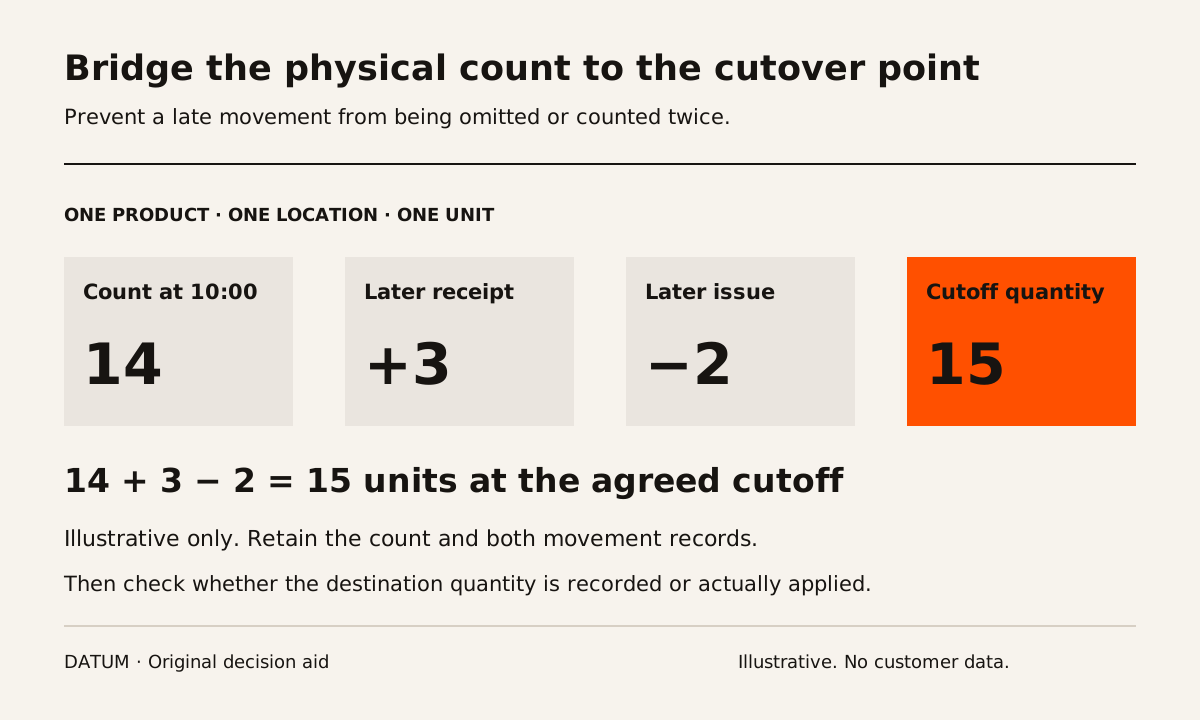
Reconcile opening inventory against an agreed cutoff before loading it into Odoo. Identify the product, location, unit, relevant lot or serial number and ownership boundary for each quantity. Then account for movements between the physical count and the cutover point. A spreadsheet total without that context is not a reliable opening balance.
Keep quantity readiness separate from valuation readiness. The warehouse can verify what exists and where; the person responsible for accounting must approve the value basis, dates and financial treatment.
Odoo 19's Physical Inventory documentation distinguishes a recorded counted quantity from an applied adjustment. Recording the count does not yet update the on-hand quantity; applying it changes the inventory records. That state difference belongs in the cutover checklist. Odoo 19 inventory adjustments.
Define the population you are reconciling
Write the included companies, warehouses, locations and product types. Identify goods that need separate treatment, such as customer-owned material, stock at another party, quarantined goods or items awaiting identification. Do not resolve ownership simply from physical proximity on a shelf.
Assign a person to confirm the boundary and explain exclusions. If a location is omitted from the count, the cutover team must know whether it is outside scope or still unresolved.
Use the product identity and unit worksheet before counting ambiguous items. Two boxes cannot become an opening quantity until the team knows which product they contain and what the box unit means.
Build a cutoff bridge
For a fictional example, a verified count at 10:00 shows fourteen units of one product in one location. Between the count and the chosen cutoff, three units arrive and two units leave. If those are the only relevant movements, the expected cutoff quantity is 14 + 3 − 2 = 15 units.
This arithmetic is illustrative. The actual bridge needs the corresponding receipt and issue evidence, their times and their inclusion in the old and new systems. A movement must not be counted once in the opening quantity and then loaded again as a new receipt without a deliberate migration design.
| Bridge field | Evidence needed |
|---|---|
| Counted quantity | Count sheet, product, location, unit and count time |
| Incoming movement | Document, quantity and event time |
| Outgoing movement | Document, quantity and event time |
| Correction or disposition | Reason and authorized reviewer |
| Expected cutoff quantity | Reproducible arithmetic from the evidence |
| Destination state | Loaded, recorded but not applied, applied or rejected |
| Difference | Amount, explanation and owner |
Keep products and units separate. Summing bolts, liters and assemblies into one “inventory quantity” does not produce a meaningful reconciliation.
Rehearse the intended load and read it back
Use a rehearsal environment and the actual proposed migration method. Include ordinary stock, a tracked item, a location transfer and a held discrepancy. The purpose is to test both the clean path and the cases likely to confuse the team at cutover.
Read back the resulting product, location, unit and tracking references. Check the status of the loaded count or adjustment and confirm what has actually affected on-hand quantity. A successful file import message is not sufficient evidence.
The migration rehearsal guide provides control totals and exception handling. Retain the source-to-destination mapping so a failed row can be corrected without losing track of an earlier successful load.
Review values through a separate accountable step
Odoo 19 distinguishes physical inventory valuation from accounting valuation timing. Its accounting documentation describes periodic and perpetual settings and a stock closing process. The cutover design therefore needs an accounting owner to state the intended value and posting behavior for the chosen setup. Odoo 19 accounting inventory valuation.
Use the inventory valuation trace to investigate a sample once quantities reconcile. Do not invent a balancing entry merely to make totals agree, and do not assume the product's displayed cost alone proves the opening financial balance is correct.
Keep quantity differences, cost-basis questions and timing differences in separate issue categories. They may require different owners and corrections.
Make the release decision explicit
Before applying the production load, identify which records are accepted, which are held and which operating activities depend on held stock. Record who may authorize the final step and how the team will stop or recover if the readback fails.
After cutover, inspect the first permitted receipt, issue or production movement against the accepted opening state. That check connects the migrated balance to the live operating process.
The release evidence should explain the count population, cutoff bridge, loaded state and unresolved exceptions. A matching grand total is useful only when the team can trace the quantities and values that produced it.