
Odoo inventory valuation: trace the quantity before the value
Trace a receipt, production order and delivery in Odoo 19. Separate physical quantities, stock value and accounting timing before investigating a difference.
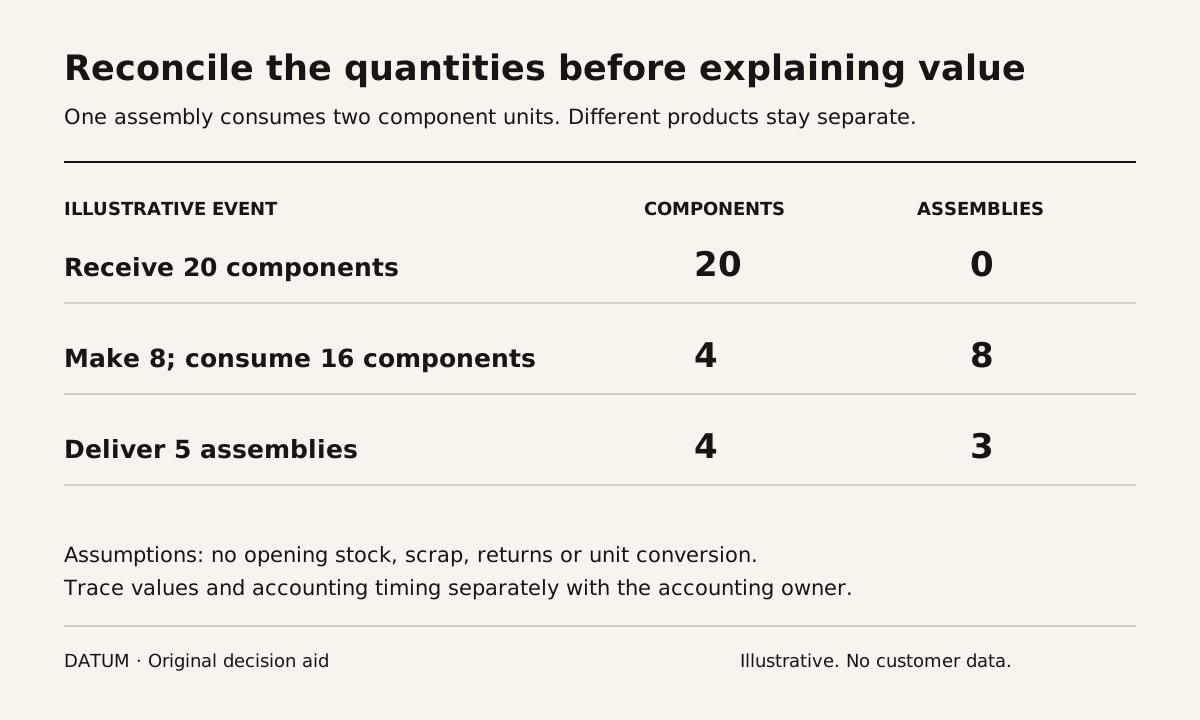
To investigate Odoo inventory valuation, trace the physical quantities and the accounting timing separately. Start with one receipt, the manufacturing order that consumes its components, and the delivery of the finished product. Keep the company, dates, costing configuration and report filters consistent throughout the trace.
This distinction is particularly important in Odoo 19. The Inventory app records value from physical movements, while Accounting has separate valuation behavior. The accounting settings distinguish Periodic at closing from Perpetual at invoicing; the closing process also addresses stock movements not yet reflected through invoicing. Do not assume that every receipt or delivery creates the journal entry you remember from another version. Odoo 19 accounting inventory valuation.
This is an operational investigation method. The person responsible for your accounting policy should approve the intended configuration and explain the expected accounting treatment before a test is judged correct.
Freeze the conditions before comparing reports
Use a test database or an authorized investigation with no corrective postings. Record the company, Odoo version, product and category, costing method, valuation setting, locations and cutoff time. Keep a copy of the original filters with each export or screenshot.
Ask whether the observed difference concerns quantity, inventory value or a financial account balance. These are different questions. A quantity mismatch may come from a unit conversion or an unrecorded operation. A value mismatch needs the cost basis. A difference between Inventory and Accounting also needs the timing and configuration of accounting events.
The migration rehearsal guide is useful if the starting balances or product identifiers came from an import. Reconcile that baseline before using later movements to explain the whole difference.
Use a quantity trace that can be checked by hand
Here is a fictional example with deliberately simple assumptions: there is no opening stock, scrap, return, substitute component or unit conversion. One finished assembly consumes two units of the same component.
| Event | Component quantity on hand | Finished assemblies on hand | Arithmetic |
|---|---|---|---|
| Receive 20 components | 20 | 0 | 0 + 20 |
| Make 8 assemblies using 16 components | 4 | 8 | 20 − 16 = 4; 0 + 8 = 8 |
| Deliver 5 assemblies | 4 | 3 | 8 − 5 = 3 |
These are illustrative control totals, not results from a customer database. Do not add component units and assemblies into one quantity total: they are different products. If the test result differs, first inspect the actual quantities, units, source and destination locations, and operation status.
For each event, record the source document and the related stock movements. Odoo's operations valuation documentation explains that component consumption removes component value and finished goods bring value into stock. Its FIFO and AVCO examples also distinguish physical valuation from whether an accounting entry exists yet. Standard Price has different behavior, so do not apply those examples indiscriminately. Odoo 19 valuation of inventory operations.
Add a value column only after the quantities make sense
Extend the worksheet with the value reported for each movement, the cost basis and the evidence needed to explain it. Do not calculate the finished product's value using only the purchase price of its components if the tested configuration includes production costs. Odoo's documentation describes finished goods value as including consumed components and relevant work-center and employee labor costs. Odoo 19 finished goods valuation.
Keep unexplained amounts visible. A useful issue record says “this finished product move includes a cost we cannot yet trace” and names the document and amount. “Inventory is wrong” gives the investigator little to reproduce.
The manufacturing planning input ledger can help identify the operations and work-center assumptions behind the production test. Planning evidence and valuation evidence serve different purposes, but they should describe the same actual production route.
Compare accounting at the agreed point in time
Have the accounting owner identify the bill, invoice, closing step or other configured event expected to affect the financial records. Keep its date and status beside the physical event. The documentation includes specific production-account behavior, so even the phrase “at invoicing” should not be treated as a universal rule for every manufacturing transaction. Odoo 19 production and accounting configuration.
Use a difference log with four fields: observed difference, expected explanation, supporting record and responsible reviewer. Separate a documented timing difference from an unresolved mapping or cost problem. Do not post a balancing entry simply to make the two screenshots agree.
Once the simple case reconciles, add the exception that occurs in your operation: a partial receipt, a return, scrap or a late supplier bill. Run one change at a time. Acceptance means that the team can explain the quantities, values and accounting timing with the relevant records. Matching totals without that explanation leave the next discrepancy just as difficult to diagnose.