
Test HVAC software with a call that needs a return visit
Evaluate HVAC software from dispatch through parts, a return visit and billing. Use one service-call script to expose missing records and approval gaps.
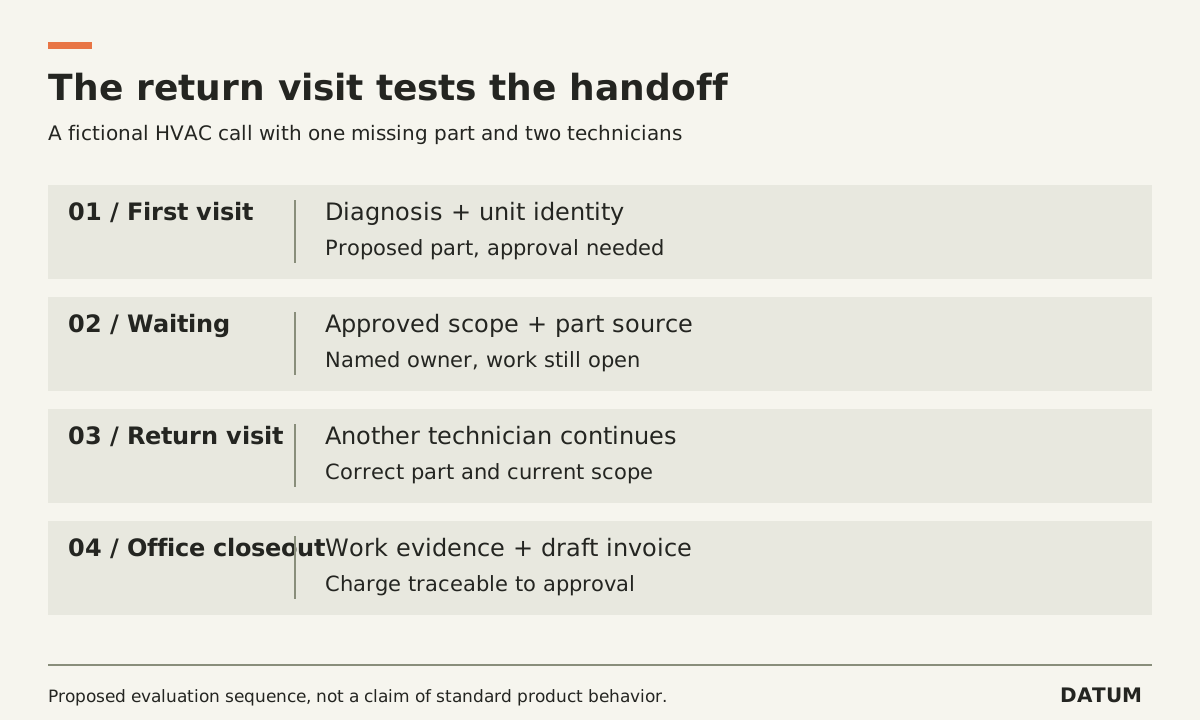
Evaluate HVAC software with a complete service call, including a return visit and the office work after the technician leaves. A dispatch screen can look convincing while the records needed for parts, approval or billing remain incomplete.
Use fictional data or records you have permission to share. The scenario below is an evaluation script, not a claim that any product provides every step as standard.
Give the demonstrator a call that cannot finish in one visit
The fictional customer reports that one rooftop unit is not cooling. The first technician diagnoses the problem, records the unit identity and proposes a replacement part. The customer approves the proposed work, but the part is not on the truck. A second technician returns after the part arrives.
That interruption makes the demonstration useful. It requires the software to carry the diagnosis, approved scope and material requirement between people and dates. Ask your dispatcher, technician and billing owner to watch the portions they would actually perform.
| Moment | Ask someone to do this | Keep this evidence |
|---|---|---|
| Intake | Separate customer, service address and equipment | Saved job with the correct relationships |
| Dispatch | Assign an appropriately qualified technician and move the appointment | Updated schedule and visible change |
| First visit | Record diagnosis, proposed part and approval needed | Field record linked to the job |
| Material wait | Identify the part source and prevent a false completion | Named owner and unresolved work status |
| Return visit | Give another technician the approved scope | Second assignment with usable history |
| Closeout | Record what was installed and what remains unresolved | Completion evidence linked to equipment and job |
| Billing | Prepare the invoice and explain each charge | Trace from invoice line to authorized work |
Avoid prescribing how many clicks a product should take before you understand the job. First establish whether the necessary record survives. Then measure effort using the same scenario and user roles in each candidate.
Change the part after approval
Once the demonstrator finishes the happy path, introduce one change: the proposed part is unavailable, and the substitute costs more. Ask who can propose the substitution, who approves it and how the technician knows which version to follow.
Keep the original approval visible. A note saying “customer agreed” is not necessarily the evidence your business requires. Decide what your own policy needs and test whether the proposed configuration can retain it.
Then change the technician. Can the replacement technician understand the diagnosis without calling the first one? Can the office distinguish completed diagnostic work from the installation still waiting to happen? Can billing avoid charging twice when the job spans two visits?
These are questions to demonstrate, not assumptions about a vendor. Mark each result as observed, configuration required, additional product required or unresolved. Ask for an actual record or export beside each result.
Check the commercial and field constraints
Confirm which subscription, mobile application and connection conditions were used. A demonstration on office Wi-Fi does not answer what happens in a location with poor connectivity. Use the separate offline readiness test before promising field behavior.
For Odoo 19.0 Enterprise, the documented Field Service product workflow links products used on a task to its sales-order invoicing flow when configured for the relevant time-and-material process. That is a reason to inspect the actual product and invoice configuration, not proof that your whole return-visit scenario is covered. See Odoo's Field Service product documentation.
A worksheet label also needs interpretation. The Worksheet Complete guide explains why saving a form and proving job readiness are separate questions.
End the demonstration with the technician's record, the unresolved-work list and the draft invoice open together. Ask the office owner to explain the job without help from the presenter. If that person cannot tell what happened, what was approved and what remains, record the gap before comparing license costs.