
Test Odoo Field Service before the connection drops
Use a disconnected-device test sheet to check Odoo field jobs, notes, photos and materials, then verify what reaches the office after reconnection.
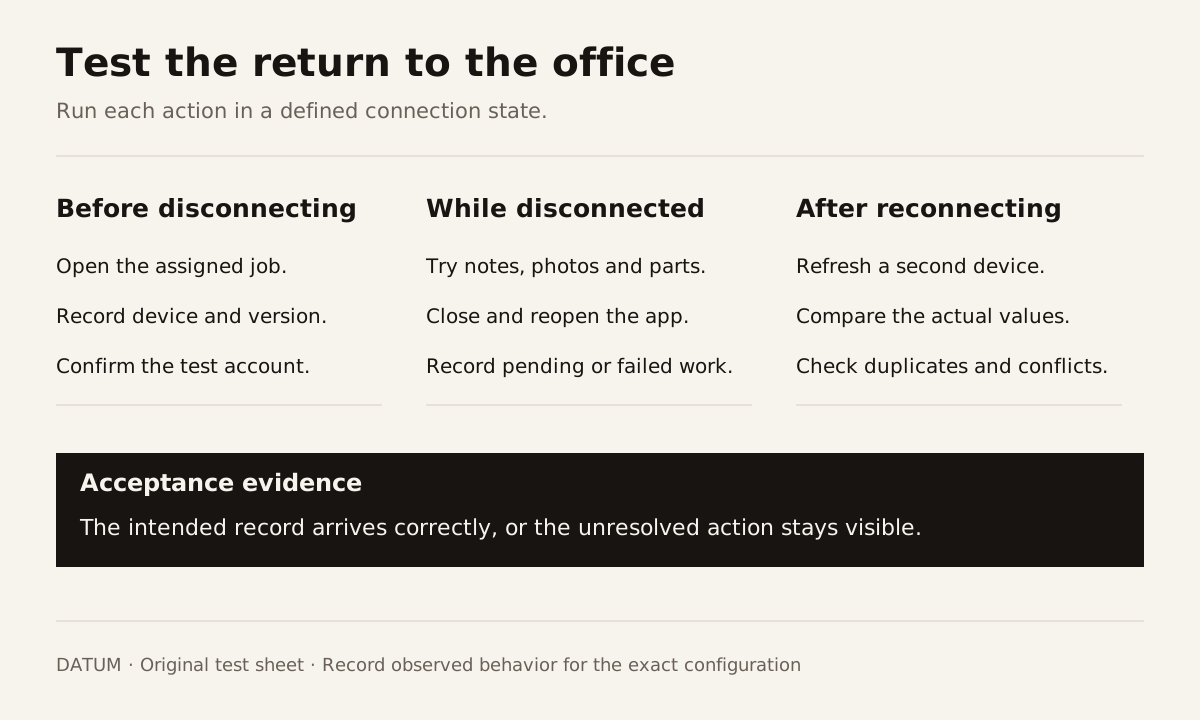
Treat offline field work as a set of tasks to prove on the technician's actual device. Opening a job, recording time, attaching a photograph and returning changes to the office are separate tests. A successful login or an installed app proves little about what happens after the connection drops.
Odoo 19.0 documents both a progressive web app and store apps, and recommends the PWA. That access choice is separate from offline editing. Odoo 19.0 mobile apps.
Odoo's documented offline mode lets logged-in users reopen views or records they previously opened while connected. Those records can be viewed but not modified offline. The documentation covers apps and modules built with standard Odoo framework components; do not promise disconnected notes, material changes or other edits from that feature. Odoo 19.0 offline mode.
Before promising disconnected work to a crew, run the test below and keep the results with the device, version and configuration used. This article provides a test plan, not a claim that Odoo supports or fails every offline scenario.
Write down what the technician must finish without coverage
Start with a specific visit. “The app must work offline” is too broad to accept or reject. “The technician must open the assigned address, record the inspection result, preserve two photographs and leave a note for the office” gives the test a useful boundary.
List the information that must be available before departure. Separate it from new information captured during the visit. Then identify actions that can wait for a connection, such as an office review, without preventing the technician from completing the permitted work.
Use a synthetic job with no real customer details. Record:
- Odoo version and deployment, including the exact SaaS version where applicable.
- App or browser version, phone model and operating system.
- Installed modules or extensions that affect field work.
- Technician role and permissions.
- Whether the job was opened while connected before the test.
That last condition matters to the experiment. A previously opened job and a job first requested while disconnected are different cases. Keep both results.
Run the same job through distinct connection states
Ask the tester to perform each action rather than merely describe what they expect. The observations column should contain what happened on the device and what appeared later in Odoo.
| Action | State to test | What to inspect |
|---|---|---|
| Open an assigned job | Connection removed after opening it once | Which details remain available? |
| Open a different job | Never opened on this device; disconnected | Is there enough information to proceed? |
| Add a work note | Disconnected, then close and reopen the app | Is the new note preserved and clearly marked? |
| Record materials | Disconnected, then reconnect | Does the right product and quantity arrive once? |
| Attach a photograph | Connection interrupted during upload | Is the file present, complete and tied to the correct job? |
| Edit a quantity | Office also changes the record | Is the conflict visible or silently overwritten? |
| Mark work complete | Connection fails at submission | Can the user tell whether the action succeeded? |
These are proposed acceptance cases, not a list of documented offline features. For standard offline mode, expect edits to be unavailable and verify the fallback. If a separate extension is proposed for disconnected editing, test its exact version and configuration rather than attributing that capability to standard Odoo. Record every unavailable action and the fallback needed.
Do not infer that a note creates a material transaction. Odoo describes product selection as a separate Field Service flow. Check the material record itself after reconnection. Odoo 19.0 Field Service product management.
Reconnection is part of the test
After restoring the connection, have someone at a second device open the same job. Compare the server record with the technician's intended result. Refresh both views so the test does not end with an old screen.
Inspect the actual note, quantity and attachment. If the technician pressed Save twice because the first attempt gave no clear response, check whether the result appears twice. If the record changed in the office during the outage, identify which value survived and whether anyone was told about the conflict.
Use this short result sheet for every action:
| Test result | Record it |
|---|---|
| Intended change | The exact note, value or file |
| Device response | Saved, pending, failed or unclear |
| Result after reopening | Present, missing or changed |
| Server result after reconnection | Exact value and number of records |
| Difference | What failed to match |
| Operating decision | Allowed, needs fallback or unresolved |
A green notification alone is not the acceptance evidence. The evidence is the intended record arriving correctly, with its uncertainty visible when it does not.
Give the crew a fallback they can actually use
If a required action fails the disconnected test, decide what the technician should do before a real visit. The fallback might be a permitted paper worksheet or a company-approved local form, followed by an explicit office reconciliation. Choose the method around the company's data rules and the work at hand.
Keep the fallback short. It should capture the job identifier, the fact observed, the time, the person recording it and whether office action remains. Name the person who transfers or checks it after coverage returns. Otherwise, the fallback becomes a second unowned record system.
Do not ask a technician to repeatedly press a consequential action when its result is unclear. The runbook should explain how to check the server state and whom to call if the answer remains uncertain.
Approve the workflow that passed the test
Write the acceptance narrowly: “These tasks passed on this configuration under these connection states.” Keep failures and fallback requirements alongside the passing results. Re-run the affected cases after a mobile-app, Odoo, module or configuration change.
The useful outcome is a crew that knows what it can complete, what remains pending and what to do when coverage disappears. Use the handoff worksheet to make the reconnection review an assigned part of the job.