
Who can approve extra work while the crew is on site?
Separate a field observation from an approved scope change. Give the crew and office a clear record of customer authorization, release and billing.
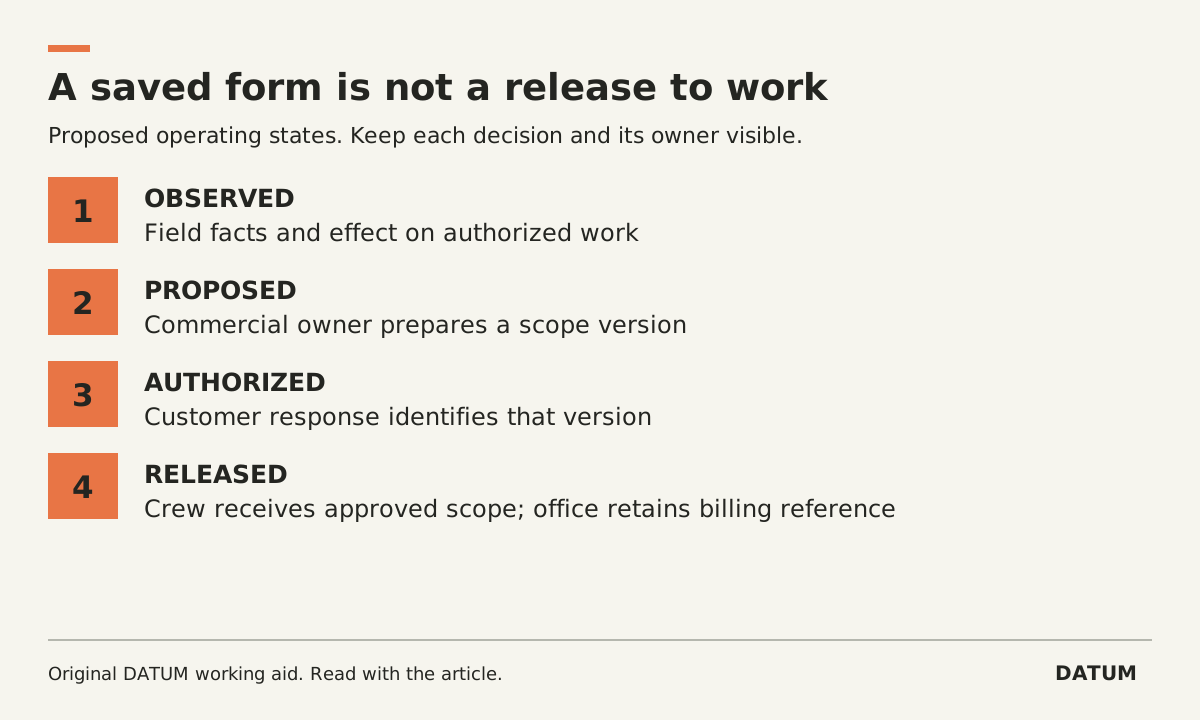
A technician who discovers extra work should be able to record it without accidentally authorizing it. Before the crew starts the extra, the business needs a clear decision on scope, customer authorization and who may release the work.
The useful distinction is between an observation, a proposed change and an approved instruction. A photo can support the observation. A completed worksheet can document a visit. Neither tells the office, by itself, that the customer accepted a new charge.
Give the field one place to raise the change
Use a change record tied to the original job. It should describe what the crew found, how it differs from the authorized scope and what happens if the decision is deferred. The technician records facts within their role. The person with commercial authority determines the proposed price and terms.
Here is a copyable change card:
| Field | What to record |
|---|---|
| Job and existing scope reference | The work already authorized |
| Observation | Location, condition, time and supporting photo or measurement |
| Proposed action | The additional work, with exclusions stated plainly |
| Work affected while waiting | What can continue and what needs a decision |
| Commercial decision owner | Who can approve the offer the customer sees |
| Customer authorization reference | The accepted version, person, time and recorded response |
| Release to crew | Who permitted execution and which scope version they released |
| Billing instruction | Approved line or reference that the office should use |
Decide which people can fill, change and approve each part. A technician's ability to edit the description should not silently confer permission to change the commercial decision.
This is an operating record design. The business's agreements and authorization rules determine what constitutes valid acceptance for its work.
Make the waiting state visible
Consider an invented service visit. A crew is replacing one agreed component and discovers damage to an adjacent assembly. The crew records the damage and proposed extra. The office sends a revised scope. The customer asks for a cheaper alternative.
That is still a pending change. The first proposal should remain identifiable so that a later acceptance of the alternative cannot be mistaken for acceptance of the original. When the approved alternative reaches the crew, record which version they received. If the office cannot reach the customer, follow the company's stop or escalation procedure for the affected work. Do not make a billing decision by marking the job complete.
A useful dispatch view would distinguish “awaiting office review,” “awaiting customer response,” “released to crew” and “declined.” Treat those as proposed operating states to implement and test, not existing Odoo defaults.
Test what your worksheet status really means
Odoo 19.0 lets teams design Field Service worksheets using Studio. Its documentation says saving a worksheet changes the task's worksheet label to complete even when optional fields remain empty. Required fields must be filled to save. That behavior makes it particularly important to test the difference between a saved form and an authorized change. Odoo 19.0 worksheets.
Set up a rehearsal with the actual technician, office and approval roles. Try these cases:
- A technician submits an observation with no customer response. The office must recognize that the extra is pending.
- A customer accepts an earlier proposal after a new version exists. The office must resolve which scope applies before releasing work.
- The customer declines. The record should retain the observation and decision without adding an approved charge.
- The extra is released and completed. The crew record and billing reference must identify the same approved work.
Also inspect the billing effect of adding products. With Time and Material Invoicing enabled, Odoo's Field Service product catalog connects materials to the commercial flow; its documentation describes adding those products to the invoice. Do not use an experimental product entry as a harmless note during a live job. Rehearse the configured result first. Odoo 19.0 product management.
Start by testing one common extra through the entire approval handoff. The worksheet readiness guide helps check the form; this change card checks the decision the form needs to preserve.