
Odoo vs Zoho: Compare CRM, inventory and finance handoffs
Compare Odoo and Zoho by tracing customer, order, delivery and invoice records. Use a handoff matrix that checks ownership, sync rules and corrections.
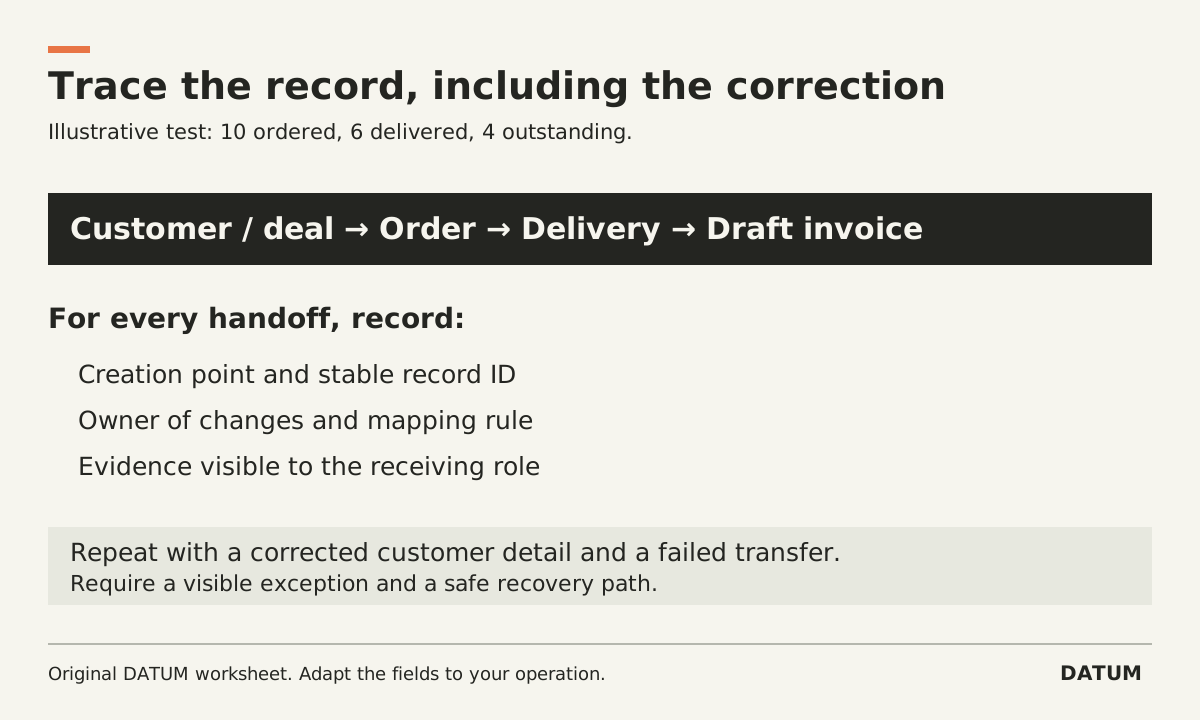
Compare Odoo and Zoho by following a customer and order through the actual proposed applications. Identify where each record is created, which system owns changes, and how delivery and billing stay connected. Product-suite labels are not enough to establish those rules.
For this comparison, Odoo means a specified 19.0 Enterprise setup, and Zoho means a specified combination of CRM, Inventory and Books. Ask each provider to state the exact applications, plan, region, release where applicable and integrations. This article offers a test method, not a product ranking or a claim that the two configurations are interchangeable.
Make the record path explicit
A deal, a sales order, a delivery and an invoice have different meanings. Decide which event creates each record and who may change it. Do not assume that moving a CRM deal to won should create every downstream document.
Zoho's US Inventory integration documentation makes a concrete distinction worth testing: its transaction integration exposes records through the Zoho Finance module within CRM, and only transactions created in that module in CRM sync to Inventory under that documented flow. The same guide describes mapping and duplicate-handling choices for master records. “It is in CRM” is therefore not a precise enough statement about the integration. Zoho Inventory and CRM integration
Zoho Books' integration page separately lists synchronized record categories between Books and Inventory, including invoices, bills, contacts and sales orders. Confirm the actual organization and connection rather than treating the list as proof that every field and event in your setup behaves as intended. Zoho Books and Inventory integration
Use one order with a partial delivery
Create an invented or sanitized test customer and an order for ten items. Deliver six first and leave four outstanding. Correct one customer detail after the order exists. Then prepare a draft invoice under a billing rule you supplied in advance.
For the illustrative delivered-quantity rule, the first draft should reflect six billable units, with the remaining four still explainable. That expected result is a requirement for the demonstration, not an assertion about either product's default behavior. Use whatever billing rule applies to your business and have the appropriate owner approve it.
Odoo's 19.0 Sales documentation distinguishes ordered-quantity and delivered-quantity invoicing. It also separates creating a draft invoice from confirming it. Ask the Odoo provider to show the configured policy and the resulting record path. Do not infer the policy from an invoice button being available. Odoo 19.0 invoicing policies
If the proposed Odoo environment uses a different Online SaaS release, verify that environment directly. The cited 19.0 workflow is the reference used here, not a promise about every release or custom module.
Fill this matrix during both demonstrations
Use a separate copy for each proposed setup. A blank cell is an unresolved requirement, not a failure you should invent.
| Record or event | Creation point and owner | Evidence to inspect |
|---|---|---|
| Customer | Application, stable ID and update owner | Same intended customer across the required records |
| Product | Item ID, units and mapping owner | No unexplained duplicate or unit change |
| Won deal | Event and authorized next action | Intended downstream record, created once |
| Order for ten | Order owner and change rule | Quantities and approved terms preserved |
| Delivery of six | Operational record and receiving application | Six completed; four remain visible |
| Draft invoice | Billing owner and selected policy | Correct quantity with supporting references |
| Customer-detail correction | Record authority and transfer rule | Intended update without unintended changes |
| Failed transfer or blocked action | Detection and recovery owner | Visible error, safe retry and no duplicate |
Ask each demonstrator to navigate from the resulting invoice back to the order and delivery. Then have an ordinary billing user do it. The presenter knowing where to click does not prove the record is accessible to the person responsible for the work.
Test a correction as seriously as initial creation
A successful first transfer is only one case. Use a deliberate duplicate candidate and a controlled correction to test the mapping rules. Decide which customer fields should update existing records and which historical document details should remain unchanged. The correct answer depends on the business record and your approved process.
For connected applications, ask how staff detect a failed sync and who owns repair. For a workflow inside one application environment, ask how staff detect a blocked or incomplete downstream step. Do not assume either architecture eliminates exceptions.
Record the dependency behind every successful test: native configuration, optional app, integration, extension or custom work. Compare support ownership and maintenance requirements on the same basis, alongside operating fit. Avoid a price verdict until both proposals include the same required scope.
Use the one-job tracing worksheet to prepare the initial packet if the record path is unclear. The final selection evidence should let your team explain where a record begins, where changes belong, and how an exception reaches the person who can resolve it.