
When is an Odoo customization worth maintaining?
Decide whether an Odoo change justifies its ongoing support and upgrade work. Use a decision record that compares configuration, Studio and custom code.
An Odoo customization is worth maintaining when a defined business requirement cannot be met acceptably by a simpler option and the organization can own the change through support, testing and upgrades. The initial build estimate is only part of that decision.
Start with the business failure the request addresses. “Add a button” describes an implementation idea. “The dispatcher cannot identify jobs waiting on customer approval without opening every task” describes a problem you can compare several solutions against.
Write down what the change must achieve
Use a recent permitted example. Identify the role, input, desired action, expected result and consequence of leaving the problem unresolved. Record how often the problem occurs if you have evidence. Keep observed time separate from a guessed saving.
Then state the acceptance test without specifying the design. For the dispatch example, the test could require the intended role to identify the waiting jobs and see who owns the next action. A saved filter, a clearer status, a Studio field or code might each be candidates. None deserves approval merely because it is the first suggestion.
Compare the options with their maintenance work visible
Odoo 19.0 describes Studio as a tool for modifying fields, views, models, automation, reports and other elements. Its documentation also describes a plan impact when Studio is installed on Standard. Verify your actual subscription before treating a Studio change as cost-free. Odoo 19.0 Studio
Use this decision sheet. The categories help you compare options; they do not imply that every request can be solved in every category.
| Option | Evidence needed | Ongoing responsibility |
|---|---|---|
| Change the working method | User can complete the task with an agreed process | Training, instructions and adoption |
| Use existing configuration | Demonstration with intended role and records | Configuration owner and regression check |
| Make a Studio change | Test of fields, rules or view in the actual environment | Configuration documentation and release testing |
| Add or change custom code | Tested implementation with dependencies identified | Code ownership, fixes, upgrades and deployment |
| Defer the request | Accepted limitation and its consequence | Review trigger and temporary process |
For an Enterprise implementation, specify the hosting and release as well as the method. Do not assume that a 19.0 custom-code design can be installed unchanged in every Online SaaS environment.
Ask for a maintenance answer, not a reassuring adjective
Odoo's custom-database upgrade guide explains that changes between versions can affect custom modules, requiring additional source-code work and testing. It also distinguishes successful installation from correct behavior at runtime. That is a concrete reason to require an upgrade plan for custom code. Odoo 19.0 custom-database upgrades
Ask who will maintain the change, where its source or configuration record lives, which modules it depends on and which tests prove it still works. Include the people who will use the output. A report can render without displaying the correct quantities; an automation can execute without assigning the right owner.
Request a scoped estimate for those responsibilities. Do not multiply an unsupported annual maintenance percentage by the build price and present it as evidence. If the provider cannot yet estimate the upgrade dependency, record the uncertainty and the investigation needed.
Preserve the reason for keeping or retiring it
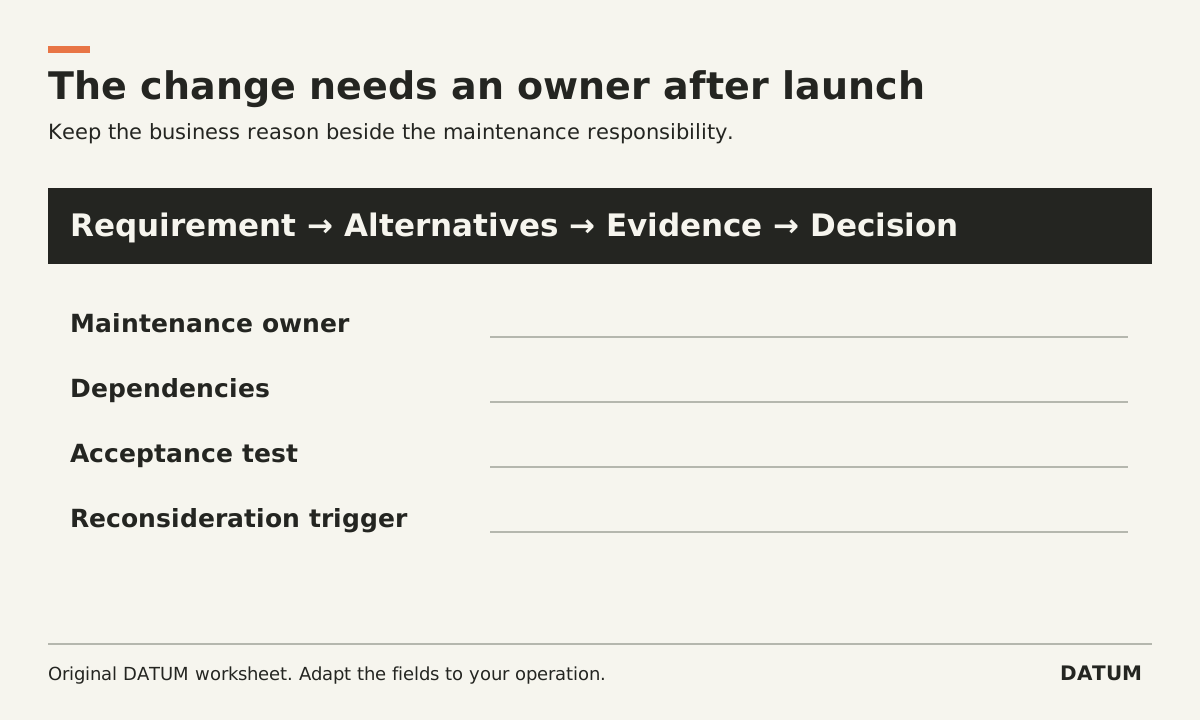
Create a short decision record with these fields:
- Requirement and a representative record.
- Alternatives demonstrated and why each was accepted or rejected.
- Selected change and explicit limits.
- Acceptance evidence under the intended permissions.
- Named maintenance owner and support route.
- Dependencies and known upgrade questions.
- Trigger for reconsideration, including a standard feature becoming sufficient.
This record matters when the original requester leaves or the software changes. It lets a later team ask whether the business need still exists before paying to reproduce the old solution.
Avoid preserving a customization solely because it already exists. The same upgrade guide recommends challenging existing developments against newer standard functionality. That supports a deliberate retirement review, not an automatic instruction to remove every custom module. Odoo upgrade guidance
Test the result before calling the request complete
Use the ERP acceptance-test method to check normal work, an exception and the permission boundary affected by the change. Record the result and a way to recover if the new behavior causes a problem.
Approve the smallest option that satisfies the actual requirement and has an owner capable of maintaining it. If none does, keeping the limitation visible is a better decision than adding an unowned dependency to the next upgrade.