
Test an ERP with normal work, exceptions and permission failures
Write ERP acceptance tests with starting records, expected outcomes and evidence. Includes normal-work, exception and permission cases with clear pass rules.
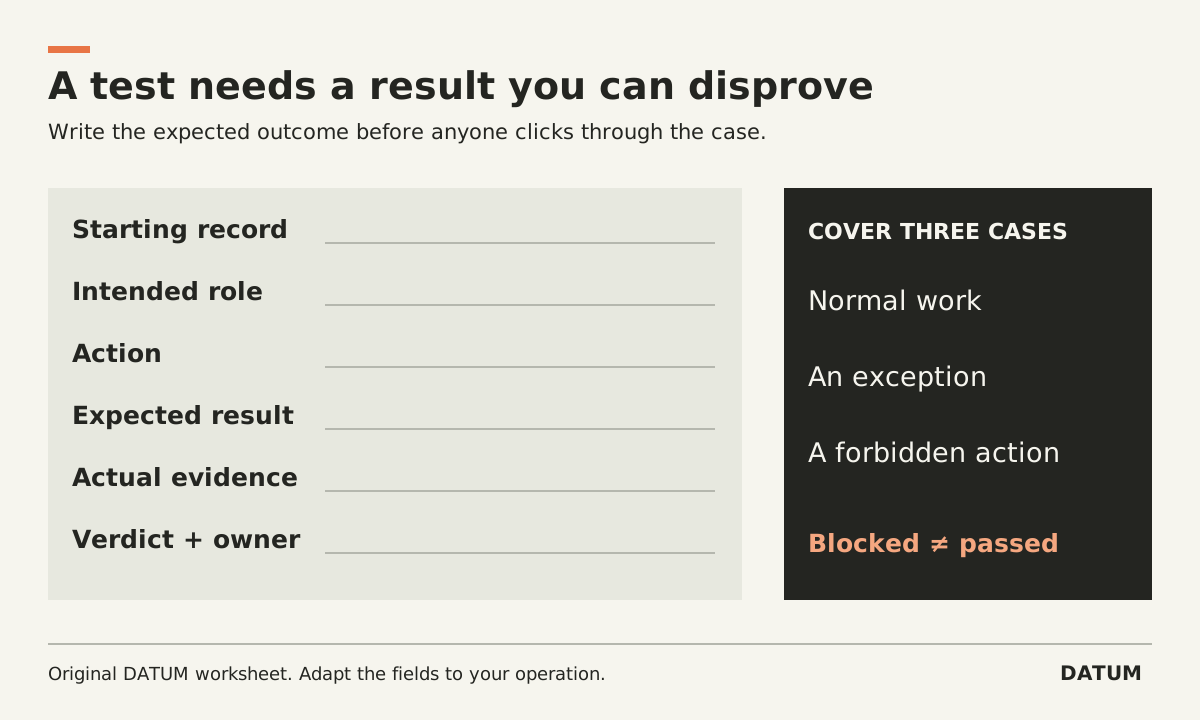
A useful ERP acceptance test starts with a known record, asks a real role to perform a specific action, and compares the result with an agreed business outcome. Include normal work, an exception and an action the role should be unable to perform.
The purpose is to accept or reject a configured workflow. This is different from an early vendor demonstration: you are checking the implementation your team will use, with its data, permissions and agreed scope.
Write the expected result before running the test
“Test receiving” is an activity. “Receive six units against an order for ten, preserve the four-unit remainder and make the discrepancy visible to the buyer” is a testable outcome.
Record the starting state carefully. If the order has already been partially received, the expected result changes. Use a safe test environment and records appropriate for the exercise. Do not create real charges, send customer messages or move live stock merely to test a button.
Copy this test card:
| Field | Entry |
|---|---|
| Test ID and business requirement | Stable reference to the agreed workflow |
| Role and account | Intended user permissions, not a convenient administrator |
| Starting record | Record ID, state, quantity and relevant configuration |
| Action | Exact work the user performs |
| Expected result | Record change, next handoff and any action that must be blocked |
| Evidence | Saved record IDs, relevant screenshots or recorded output |
| Actual result | What happened, including unexpected effects |
| Verdict | Pass, fail or blocked, with reason |
| Defect and retest | Owner, correction, version and new evidence |
A blocked test is not a pass. It may mean the starting data is missing or a prerequisite is unresolved. Keep it separate from a demonstrated product defect so the right person receives the next action.
Build three cases around one workflow
Choose a workflow whose expected outcome the process owner can explain. The following are proposed cases for a production or service operation, not results from an actual installation.
Normal work: Complete the planned quantity or visit with all required evidence. Check the resulting state and ask the next role to continue from it.
Exception: Complete only part of the quantity, or report a condition that prevents completion. Check what remains open and who must act. Odoo 19.0 documents manufacturing backorders for partial production, so an Odoo Manufacturing test can examine the actual configured remainder workflow rather than simply asking whether backorders exist. Odoo 19.0 manufacturing backorders
Permission failure: Attempt a specific action the role should not perform, such as changing an approved configuration outside its responsibility. Verify that the action is blocked and that authorized work remains possible. Odoo's documentation describes access controls at user and group level; test the assigned role rather than infer access from an administrator's demonstration. Odoo 19.0 access rights
The forbidden action must come from your approved permission design. Do not invent restrictions during the session or treat a user's inability to finish assigned work as a successful security test.
Add a false-completion test
Try to reach the completion state with one necessary business input missing. Decide in advance whether the system should block completion or send the record into an explicit exception process.
For example, the Odoo 19.0 Field Service documentation says optional worksheet fields can remain blank when a saved worksheet shows as complete, while required fields must be filled. A meaningful test therefore names the actual evidence your process requires and checks its configuration. Odoo 19.0 worksheets
The worksheet readiness test develops that example further. Confirm the exact Enterprise applications and release in the environment being accepted; these references concern 19.0, not every SaaS release.
Also check content quality where it matters. A required text field containing a meaningless entry may satisfy a technical rule without satisfying the business requirement. Decide whether training, review, field design or validation should address it. One software control rarely proves the entire handoff.
Keep the defect separate from the retest
When a test fails, preserve its evidence. Describe the starting state, expected result and actual result without guessing at the cause. Assign a person to investigate. After correction, record the changed configuration or software version and repeat the affected case.
Then check the nearby behavior that could reasonably have changed. A permission fix for one role may affect another role using the same group. A quantity correction may affect the remainder calculation. Broaden the retest because of a specific dependency, not because every defect requires rerunning everything.
Finish with a list of passed cases, failed cases, blocked cases and explicitly accepted limitations. The process owner should be able to see which business outcomes were proved and which remain unresolved. A meeting attendance sheet or a demonstration recording alone cannot provide that acceptance decision.