
Landscape software: Test recurring work, extras and billing separately
Evaluate landscape software with three connected tests: recurring visits, approved extra work and billing. Includes a rain-delay scenario and comparison sheet.
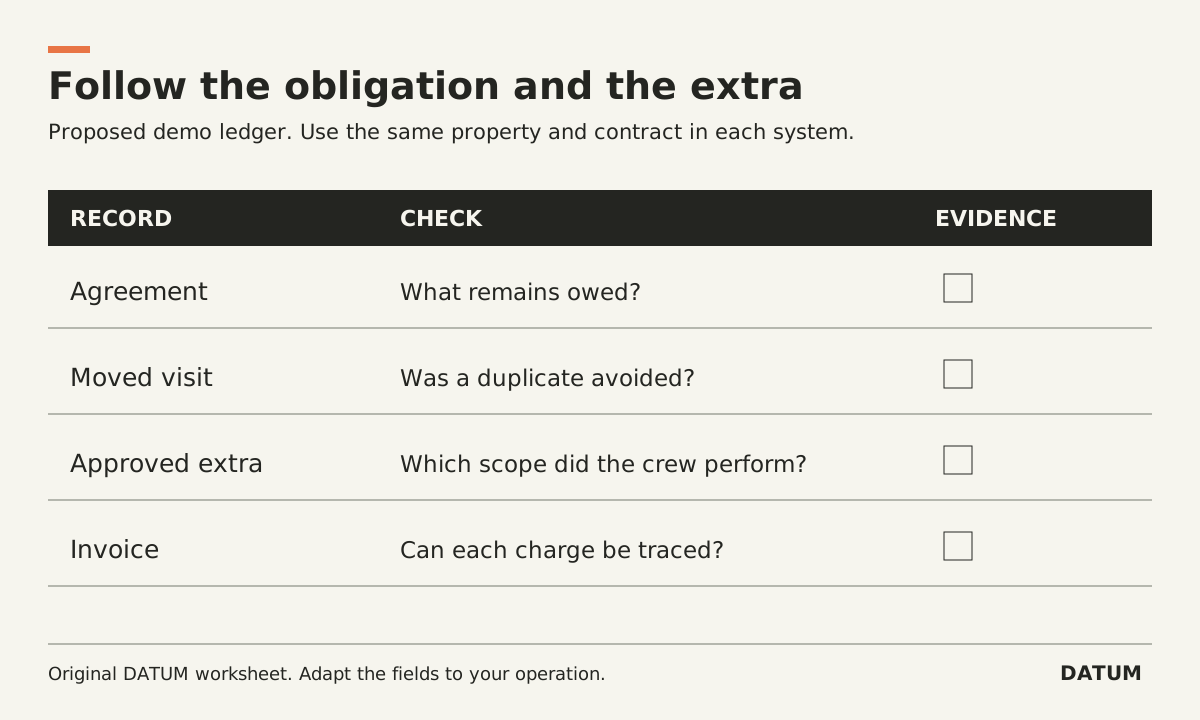
Evaluate landscape software with three linked records: the recurring agreement, an extra the customer approved, and the resulting invoice. A calendar that looks right does not prove the extra will be billed correctly. An accurate invoice total does not prove the crew received the right instructions.
Use one property throughout the demonstration. Make the vendor show each record and its connection to the others. Ask your own dispatcher, crew lead and billing person to explain the result.
Bring one contract with a useful complication
Here is an invented evaluation scenario. Replace it with a permitted customer example before making a purchase decision.
A property has a seasonal maintenance agreement with scheduled visits and a fixed monthly charge. One visit is moved because of rain. During a later visit, the customer requests a separately priced cleanup. The office approves that extra before the crew performs it.
This scenario contains three different questions: what work remains due, what extra is authorized, and what the customer should be charged. The business must supply its contract rules. Software should demonstrate how those rules are represented, not decide them during the demo.
Write down whether a moved visit remains owed, whether the monthly charge changes, and who can approve an extra. If the team cannot agree, record that as a business decision. Do not count a vendor's improvised answer as a feature.
Test recurring work without changing the billing rule by accident
Ask the demonstrator to schedule the visits, move one, and show the crew's revised view. Then inspect the original commitment. You need to distinguish moved, completed, canceled and still owed work according to your agreed rules.
LMN's current maintenance guidance connects the service types in estimate templates with schedule templates and describes separate services within a maintenance estimate. That makes the relationship between quoted work and scheduled work a useful starting point for an LMN demonstration. It does not prove how your particular rain-delay policy will behave. LMN maintenance estimating guidance
For any vendor, record the edition, relevant modules and configuration used. A tutorial or prepared demonstration is not confirmation that the same setup is included in the proposal you receive.
Keep the extra identifiable from request to invoice
Add the cleanup as a separate request. Show its scope, price, approval evidence and responsible person. Before approval, ask what the crew can see and what the office can schedule. After approval, follow the authorized version into the work instructions.
Do not ask only whether the software “supports change orders.” Ask what happens when the customer changes the request after scheduling. Can the crew distinguish the approved cleanup from the new request? Can billing identify which version was performed? These are tests to run, not claims about a vendor's behavior.
Use a request that the crew cannot safely infer from the recurring agreement. That exposes whether the extra is a real controlled record or simply a note that someone must remember later.
Compare invoice evidence, not the appearance of the PDF
Aspire's invoicing page describes fixed-payment, scheduled, time-and-materials and other invoice types. It also describes work-ticket information entering an invoicing assistant for review. Those documented options justify asking for your billing pattern to be demonstrated; they do not establish the correct configuration for this example. Aspire landscape invoicing
Use this sheet for Aspire, LMN or another candidate. Leave the result blank until demonstrated.
| Test | Evidence to inspect | Accept only when |
|---|---|---|
| Move the rain-delayed visit | Original visit, replacement date, crew view | Remaining obligation is clear and no duplicate visit is created |
| Record the cleanup request | Scope and approval record | Crew can identify the authorized version |
| Complete recurring work | Completion evidence against the visit | Office can distinguish done from merely scheduled |
| Complete the extra | Labor/material evidence linked to the extra | The work remains separate from the recurring allowance |
| Prepare the bill | Contract charge, extra line, supporting records | Each charge follows the supplied rule |
| Correct an error | Correction record and revised customer document | Staff can explain what changed and why |
Do not award a pass because the presenter says the system can do it. Use “shown,” “configuration still needed,” “additional product or work required,” and “not established.” The last category is useful evidence, not a reason to assume failure.
Make the comparison fair
Give both vendors the same agreement and approval sequence. Ask them to use ordinary role permissions. If one solution needs an extra integration, include that dependency in the comparison rather than treating it as automatically disqualifying. Capture who supports it, how a failed transfer is noticed and how staff recover.
If your current records are scattered, first trace one job across the handoffs. The output of this evaluation should be a decision about your three workflows, supported by saved records. A longer feature list cannot answer those questions for the people doing the work.