
Who should be allowed to create a field-service invoice?
Separate field evidence, invoice drafting, validation and sending before setting permissions. Includes a role matrix and negative tests for an Odoo workflow.
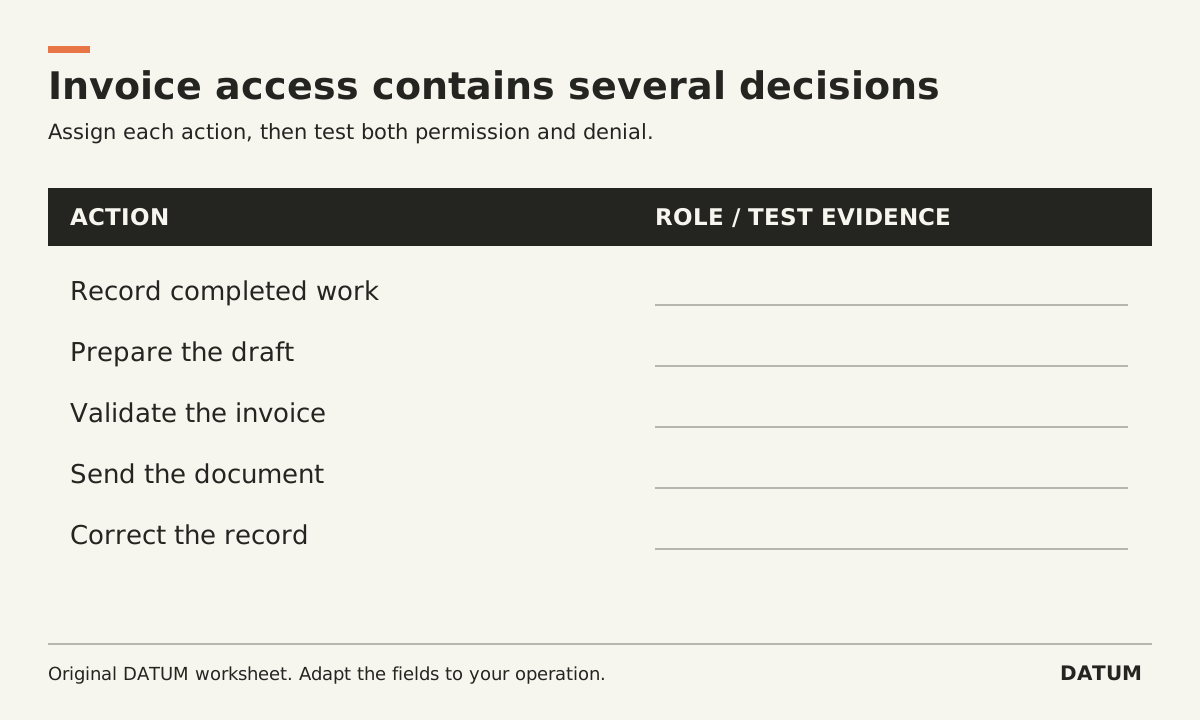
Give invoice-creation access to the role that can assemble the required billing evidence and is accountable for the draft. Decide validation, sending and correction permissions separately. A technician needing to record completed work does not automatically need every billing action, and an office reviewer may need more than permission to view the job.
The right split depends on team size and responsibilities. Define it first, then test whether the configured permissions enforce it without blocking legitimate work.
Separate the actions hidden inside “create invoice”
Odoo 19.0's customer-invoice documentation distinguishes creating a draft from validating and sending an invoice. Treat those as separate business decisions even if an interface puts them near each other. Odoo 19.0 customer invoices
Use an action list before discussing group names:
| Action | Required business responsibility | Permission question |
|---|---|---|
| Record work performed | Accurate completion evidence | Can the field role record only its permitted work? |
| Prepare draft lines | Match authorized scope to billable work | Who may create or revise a draft? |
| Validate the invoice | Review the financial document under the agreed process | Who may commit the approved invoice? |
| Send the document | Confirm recipient and release timing | Who may send the final customer communication? |
| Correct an invoice | Follow the approved correction procedure | Who owns the correction and its evidence? |
| Review payment status | Use the authoritative financial record | Who needs to view it, and who may change it? |
One person can hold several responsibilities in a small team. The point is to make that decision visible rather than grant broad access solely to make a button appear.
Draft a role matrix with explicit boundaries
The following is an illustrative design, not an Odoo permission preset. Adapt it to your approved process.
| Role | Proposed permitted work | Proposed boundary to test |
|---|---|---|
| Field technician | Record time, materials and completion evidence | Cannot validate or send an invoice solely through field access |
| Billing preparer | Review evidence and prepare draft | Cannot perform the final action reserved to the reviewer |
| Billing reviewer | Validate and release under the approved rule | Cannot bypass a required correction explanation |
| Service manager | Resolve missing work evidence | Does not receive unrelated financial access merely to close a job |
Write down exceptions, backup arrangements and the evidence needed when one person covers two roles. Do not create a separation that leaves work permanently stuck whenever one employee is absent.
Test the actual role, not an administrator's screen
Odoo documents access through users and groups, including inherited permissions. A permission change can therefore have a wider effect than the one menu you intended to expose. Confirm the full result with the intended account in a test environment. Odoo 19.0 access rights
This article uses 19.0 documentation. Verify the exact Enterprise applications, configuration and release in your database. An Online SaaS release or custom module can change the available actions and their dependencies.
Do not solve a blocked draft action by copying all permissions from an administrator. Ask the implementation owner to identify the relevant access path and demonstrate both the permitted and forbidden actions after the change.
Run a short negative-test set
Prepare a permitted test job with approved scope, completed work and enough billing evidence. Use a safe environment that cannot send real customer documents.
- Let the field role record its evidence and confirm that the office can use it.
- Attempt the billing action that this role is explicitly forbidden to perform.
- Let the preparer create the intended draft and inspect its customer and lines.
- Attempt the final action reserved for the reviewer.
- Let the reviewer perform the approved action and confirm the result.
- Try an unrelated job or record that the role should not access.
A button being hidden is not the whole test. Verify the underlying action is denied through the supported paths the role can use, and verify the role can still finish its legitimate work. Have the technical owner design any API-specific access tests where relevant.
The ERP acceptance-test worksheet gives each case a starting state, expected result and evidence. Keep a failed case open until corrected and retested. The final permission design should tell the office who can prepare, approve and release a bill, with a record proving that the intended boundary holds.