
Check the ERP plan behind each required workflow
Link ERP requirements to the quoted plan, user access, hosting and integration rights. Record what is included, conditional, additional or unresolved.
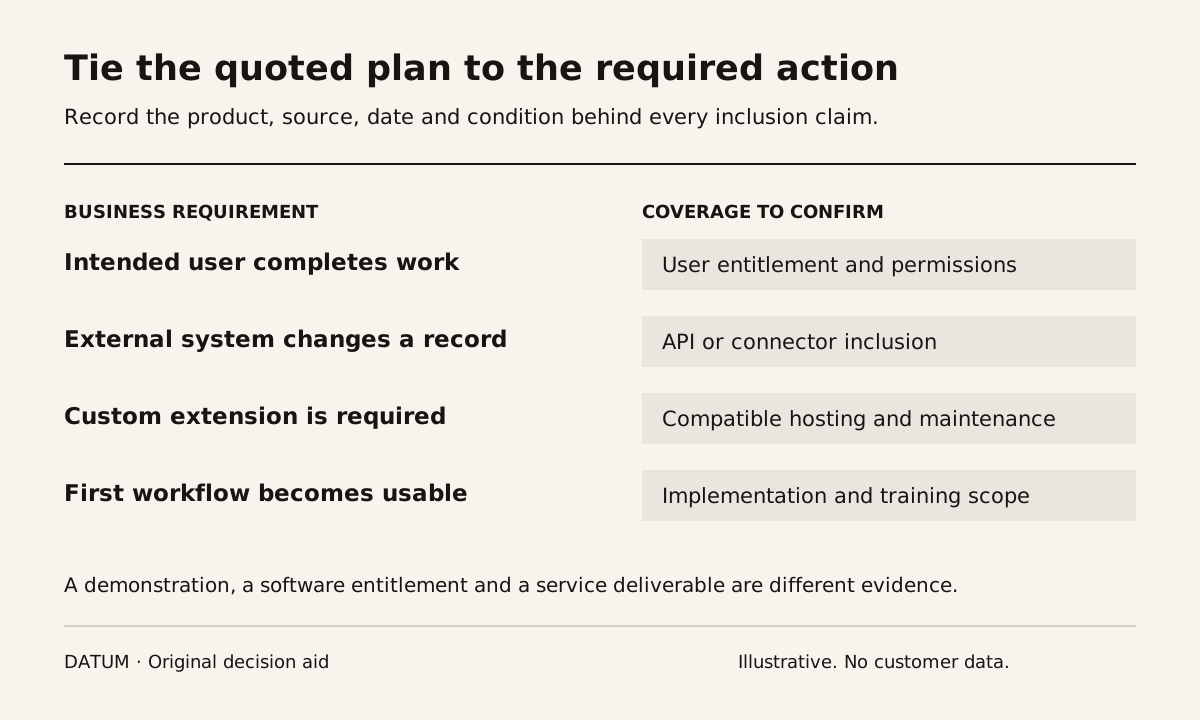
Before committing to an ERP plan, connect each required workflow to a specific entitlement in the proposed order. Confirm the applications, user roles, integrations, hosting and services included. A product demonstration can show functionality that the quotation does not provide to the people who need it.
Treat the entitlement check as an operational review of the proposed scope. It does not replace review of commercial or legal terms by the responsible people.
Odoo's current pricing page separates plan choices and identifies External API access within the Custom offering. Odoo Online does not allow deployment of custom Python server code, while Odoo 19 also documents importable XML/data modules as a separate customization approach. Have the implementer classify the proposed extension and confirm its deployment conditions instead of treating every customization alike. Odoo plans and Odoo 19 importable modules.
Turn the requirement list into a coverage sheet
Start with the workflow you intend to release, not every available feature. For each requirement, record the exact proposed product, plan, add-on or service that supplies it.
| Requirement | Coverage evidence | Demonstration or confirmation needed |
|---|---|---|
| Internal users | Named license or subscription basis | Intended roles can perform required work |
| Customer or supplier access | Defined external-user arrangement | The external person sees the correct records |
| Required application | Included module or product | The quoted environment contains it |
| External connection | API or connector entitlement | Intended read/write action can run |
| Custom extension | Compatible hosting and maintenance owner | Deployment and upgrade path are understood |
| Multiple companies or locations | Proposed configuration and commercial inclusion | Required separation and access are demonstrated |
| Implementation and support | Written service scope | Deliverables and responsibility boundaries are explicit |
Add a source and date to every inclusion claim. A current quotation, an applicable product document and a vendor confirmation answer different questions; retain the evidence that actually supports the conclusion.
Check the actor as well as the feature
A workflow may involve an office user, a technician, a customer and an integration identity. Ask which access arrangement covers each actor. Do not assume that because an administrator can complete a demonstration, every planned user has the same entitlement or permissions.
Use a fictional purchasing workflow to test the distinction. The buyer prepares an order, a manager approves the decision and a supplier receives the relevant document. Identify how each person participates and which proposed access is required. If an external person needs broader access than expected, resolve that before treating the workflow as included.
The implementation work-packet guide helps specify the actual business result each role must achieve.
Ask what the integration is allowed to do
Write the proposed connection as an action: read a customer record, create a draft order or update a delivery status. Identify the system of record, execution identity and expected frequency or usage basis. Then ask whether the quoted plan and connector cover that action in the intended environment.
A connector listed in a marketplace is not proof that configuration, migration, error handling or ongoing support is included in the service quotation. Ask who will build the connection and who will investigate a failed transfer. Keep any additional product or service line visible.
The Odoo versus QuickBooks comparison method includes system-boundary questions that also work for an entitlement review: ownership, corrections, retries and duplicates.
Separate included software from completed delivery
A plan may provide an application while implementation work remains necessary. List the required configuration, data preparation, tests and training against their owners. Confirm whether they are in the proposed service scope, supplied by your team or still unassigned.
Use the ERP ownership-cost worksheet to carry those distinctions into the budget. Do not mark a cost zero simply because the related feature appears on the software page. Conversely, do not add a separate charge when the actual agreement includes it.
Close the review with explicit unresolved items
Give each row one status: included and evidenced; included subject to a stated condition; additional purchase or work required; or unresolved. Avoid a single percentage that hides a critical missing capability among many minor confirmed items.
If a required custom module has no compatible hosting arrangement, that is a design decision to resolve before commitment. If a rarely used report remains uncertain, a bounded follow-up may be sufficient. The responsible team should see the consequence of each gap.
Keep the completed sheet with the approved scope and quotation. Recheck the affected rows when users, applications, hosting or integrations change. The useful result is a clear relationship between what the business needs, what it is buying and what still has to be delivered.