
Build an ERP implementation plan around accountable work
Give each ERP work packet a business result, decision owner and acceptance evidence. Keep data, configuration and user readiness visible in the plan.
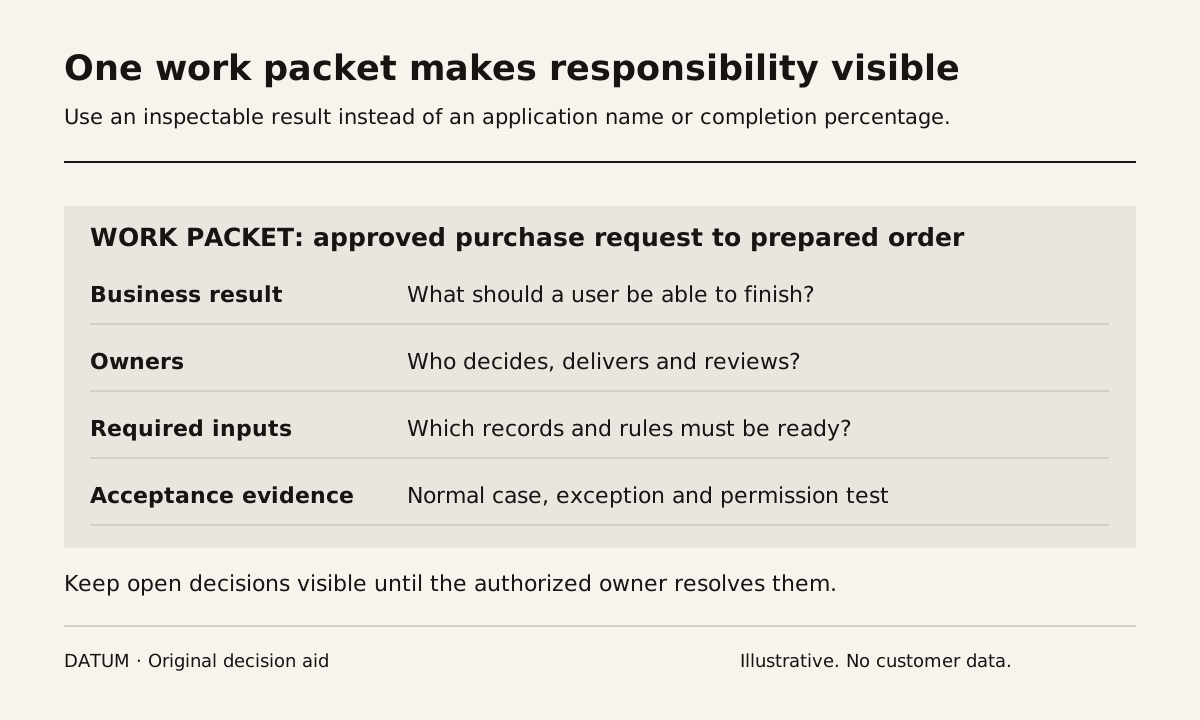
An ERP implementation plan should make unfinished decisions visible before they turn into unfinished software. Organize each piece of work around a business result, an owner, the input it needs and the evidence required to accept it. Dates become useful when those responsibilities are clear.
This is a proposed operating method for managing delivery, not a claim that one sequence fits every company. A replacement covering several sites will need different work packets from a first release covering one service workflow. Use the statement-of-work guide to establish the boundary before building the plan.
Turn a project label into a work packet
“Configure purchasing” leaves too much for each person to interpret. A work packet might instead cover how an approved purchase request becomes an order for a defined group of products and locations.
Write the packet on one page:
| Field | Example for a fictional purchasing workflow |
|---|---|
| Business result | A buyer can prepare the agreed order using approved supplier and product records |
| Boundary | Named product group, location and request types |
| Business decision owner | Purchasing manager |
| Delivery owner | Named implementation lead |
| Required inputs | Supplier list, product identifiers, approval rule and sample request |
| Decisions still open | Who may approve a substitute supplier? |
| Acceptance evidence | Normal order, rejected request and supplier-substitution scenarios |
| Next dependency | Receipt testing can use the accepted purchase order |
Names matter. A team name alone can hide the absence of an available decision maker. One person may perform several roles, but the record should still show which decision they are making.
The packet should be small enough for its result to be demonstrated. If it spans several unrelated business decisions, split it along those boundaries rather than by software screen.
Keep decisions separate from construction tasks
Maintain a short decision register beside the work packets. Give each entry a question, options, responsible person, needed-by point and consequence of waiting. Link it to the affected packet.
In the purchasing example, a developer can create a proposed screen while the substitute-supplier rule is unresolved. That does not make the approval behavior accepted. Label provisional work so it cannot quietly become the rule used in training or migration.
A good review meeting can therefore be brief. Ask which evidence changed, which decision is blocking an accepted result and who will supply the next input. Percentage-complete estimates are secondary; “configuration 90% complete” does not explain whether the final 10% includes the only approval rule that matters.
Treat data, configuration and user behavior as different tests
A correct import does not prove that an employee can complete the workflow. A successful demonstration using manually prepared records does not prove that migration will produce those records.
Odoo 19 documents a permanent import process and stable External IDs for updating existing records. Those product constraints make a migration rehearsal a separate work packet with its own evidence. Odoo 19 import documentation.
For each business result, check three things:
- The records are correct and connected to the intended references.
- The configured action produces the expected result, including a meaningful exception.
- The intended user can perform and explain the action with their actual permissions.
Write defects against the relevant test. That makes the next owner clearer: a mapping problem needs a different correction from an unclear instruction or missing permission.
Make release a decision supported by the packets
Before changeover, review the packets needed for the first live workflow. Identify unresolved items, their consequences and the approved workaround, if one exists. A workaround needs an owner, a trigger and an end condition; otherwise it can become an invisible permanent process.
Define who can stop the release and what evidence would justify that choice. Keep a recovery plan for the actual hosting and integration environment. In Odoo.sh, staging uses neutralized production copies and changes external actions, so staging acceptance and a controlled check of production connections are different evidence. Odoo 19 staging documentation.
Use the dependency-based timeline to place the accepted packets on the calendar. When a date changes, update the dependency and owner instead of merely moving the bar. After release, keep the same packet open until the agreed operational follow-up is complete. “Deployed” and “the team can use it” deserve separate recorded results.