
Build the supporting job record before the contractor invoice
Connect accepted scope, approved changes and recorded work before billing. Use an evidence packet to find missing approval and quantity differences.
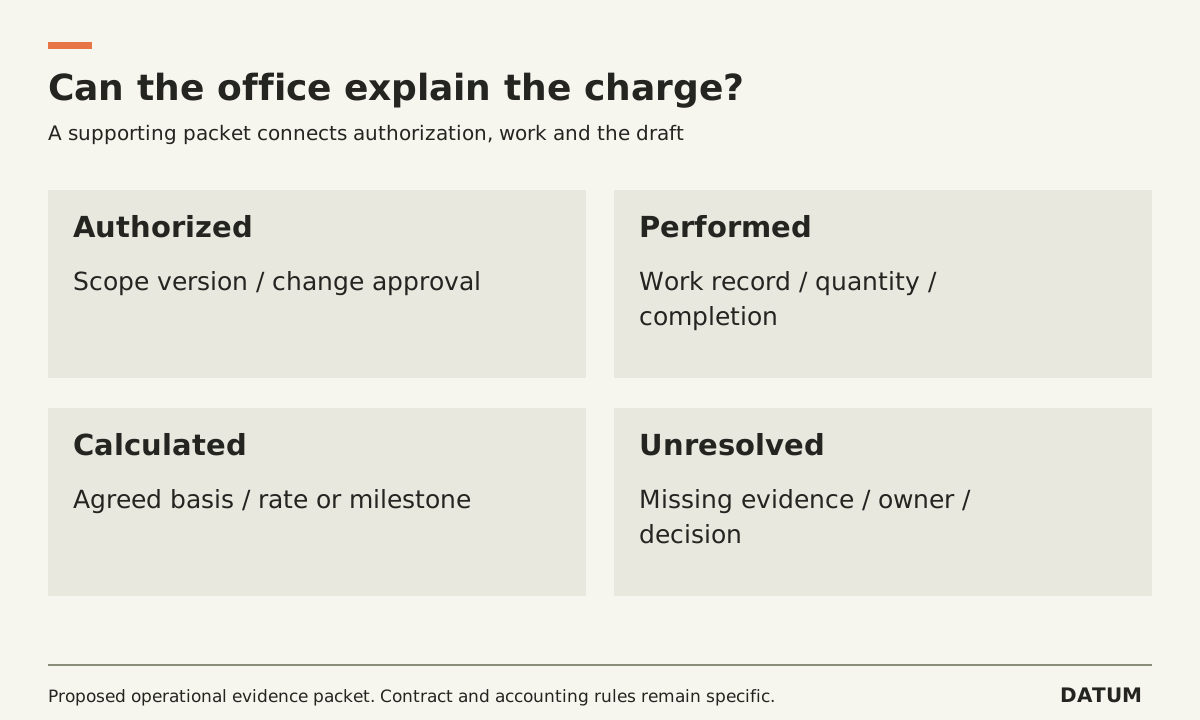
Prepare a contractor invoice from the accepted scope, approved changes and recorded work. If the office must reconstruct those facts from messages after the job, fix that handoff before automating the invoice.
This guide describes an operational evidence packet. It does not determine legal invoice requirements, tax treatment or what a particular contract permits you to charge. Those decisions belong to the responsible qualified adviser and the actual agreement.
Keep four questions beside the draft
The billing owner needs to establish what was authorized, what happened, how the proposed charge was calculated and what remains unresolved. A photograph can help establish work, but it does not by itself establish the customer's approval of a new charge.
Use one fictional repair to test the packet. The accepted work is a diagnostic visit. During that visit, the technician identifies an additional replacement. The customer has not yet approved it. The job record should preserve the proposal without quietly treating it as completed, approved work ready to bill.
| Billing question | Supporting record | Who resolves a gap? |
|---|---|---|
| What was accepted? | Identified version of the scope or quote | Commercial owner |
| What changed? | Change description and required approval evidence | Person authorized to approve the change |
| What happened? | Work record, quantities, time and relevant completion evidence | Field or production owner |
| How was the charge calculated? | Applicable agreed rate, quantity or milestone | Billing owner |
| What remains open? | Unresolved work, approval or dispute list | Named exception owner |
The packet should be short enough to use. Link to the underlying records instead of copying every attachment into a second folder. The important feature is a dependable job identifier connecting the records.
Split the job state from the billing state
A technician may have completed the permitted work while an approval or quantity still needs clarification. The invoice may be ready for review while the customer still has an unrelated return visit booked. Decide how your business distinguishes those cases rather than using one “Done” label for everything.
In Odoo 19.0 Field Service, product selection is a documented flow connecting task products with the relevant sales-order and invoice process. A narrative note about material is not a substitute for checking the product, quantity and invoicing configuration. See Odoo's Field Service product guidance.
Similarly, a saved worksheet does not necessarily establish your own completion requirements. Use the Worksheet Complete explanation to separate the interface label from the evidence your billing owner needs.
Walk one proposed charge back to its source
Select a draft line and ask someone who did not perform the work to trace it. They should find the applicable accepted scope, the supporting work record and any required change approval without relying on the technician's memory.
Introduce one deliberate discrepancy in a test copy: the work record says two units, while the draft line says three. The review should expose the difference and assign a decision. Do not make the records agree by editing the evidence to match the draft.
If the source record is corrected, retain the reason and the person who confirmed it. If the charge is corrected, keep the relationship to the original proposal. The point is a defensible explanation of the final record, not an empty exception list achieved by hiding differences.
Check for duplication when work spans visits. Use a stable reference for the billable work or approved milestone so the same event is not charged again simply because it appears in a second visit's notes.
Automate only the part that has a dependable input
An assistant can help collect records or prepare a draft, but it should surface missing approval and contradictory quantities for review. The AI invoice-draft guide describes that narrower task.
Before adding automation, review one recent job with the office and field owners. List the facts the office had to chase, assign where each should be recorded and decide who checks the packet before billing. Repeat the job trace after that change. The evidence of improvement is an invoice whose charges can be explained from the records available at review time.