
A bill of materials template purchasing and production can both use
Build a shared bill of materials with quantities, units, revision rules and purchasing checks. Includes a worked example and a copyable worksheet.
A useful bill of materials identifies what goes into one defined output, in which units, and under which approved revision. Purchasing also needs the buying rules. Production needs the instructions and the conditions for using a substitute. Keep those decisions connected without forcing every detail into one spreadsheet row.
Start with a single manufactured item. The worksheet below is a working template, not a ready-to-import Odoo file. It makes missing decisions visible before anyone maps columns into software.
Define the output before listing the inputs
Write the finished item identifier, description, revision, output quantity and output unit at the top. “Bracket assembly, revision C, quantity 1 each” has a meaning that “bracket BOM” does not. Also name who may release a revision and where its approved drawing lives.
Odoo 19.0 describes a bill of materials as components and quantities for producing or repairing a product, with production operations where needed. Its component configuration also distinguishes product variants and the operation that consumes a component. Those are separate questions your template should resolve. Odoo 19.0 bill of materials
For an Odoo Enterprise implementation, confirm the installed 19.0 applications and configuration with the delivery team. A field shown in the 19.0 documentation is not proof that it appears in every database or in the same place in an Online SaaS release.
Copy these fields into your working sheet
| Field | What to write | Who resolves a blank |
|---|---|---|
| Finished item and revision | Stable item ID, approved revision, drawing link | Engineering |
| Output basis | Quantity and unit represented by the BOM | Engineering and production |
| Component ID | One stable internal item ID, not a supplier nickname | Item-data owner |
| Component quantity and unit | Quantity consumed for the stated output basis | Engineering |
| Variant or condition | When this line applies | Engineering |
| Operation | Where the component is used | Production |
| Buying unit and conversion | Pack, length or weight purchased; conversion to consumption unit | Purchasing |
| Substitute rule | Approved alternative and required authorization | Engineering |
| Loss treatment | Separate planning allowance, process loss or actual scrap treatment | Engineering and production |
| Evidence and owner | Drawing/specification reference and person maintaining this line | Record owner |
Supplier lead times, minimum orders and prices can change independently of product design. Maintain them in the appropriate purchasing records and link them by component ID. Copying a current supplier price into a permanent BOM worksheet without an owner creates another number to reconcile.
A blank substitute rule should mean “decision needed,” not permission to choose a similar-looking part. A blank loss field should not silently become zero either.
Test the units with a small example
This example is invented to show the calculation. It is not a manufacturing specification.
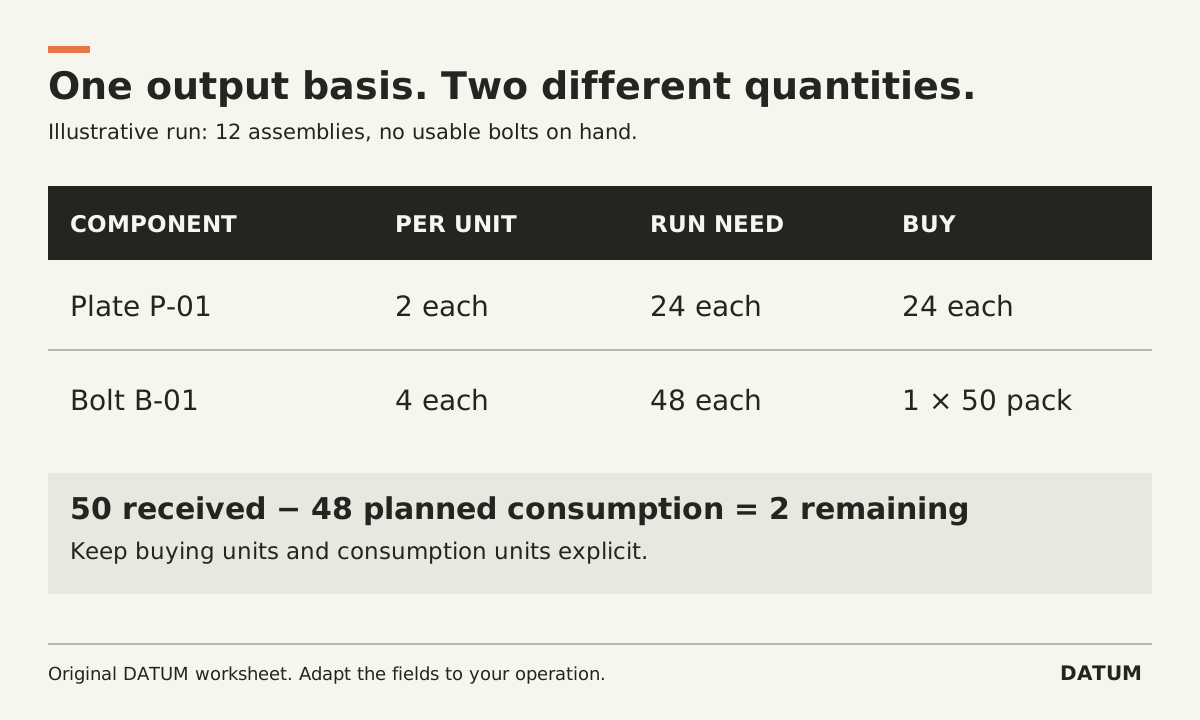
One sample assembly requires two plates and four bolts. Bolts are purchased in packs of 50. A planned run of 12 assemblies needs:
- Plates: 12 × 2 = 24 each.
- Bolts: 12 × 4 = 48 each.
- If no usable bolts are on hand, one pack supplies 50 each, leaving 2 after planned consumption.
| Component | Per assembly | Run requirement | Buying unit | Proposed purchase |
|---|---|---|---|---|
| Sample plate P-01 | 2 each | 24 each | Each | 24 each |
| Sample bolt B-01 | 4 each | 48 each | Pack of 50 | 1 pack |
The final column is valid only under the stated no-stock assumption. Available inventory, existing purchase orders, minimum quantities, losses and supplier restrictions could change it. The BOM defines the product relationship; it is not by itself a complete purchasing recommendation.
Ask the buyer and production lead to calculate the same run independently. If one reads “4” as four packs and the other reads four individual bolts, fix the data before testing software.
Release a revision without losing the old answer
Give the worksheet a status: draft, approved for a defined use, or superseded. Record who approved it and when. When a component changes, identify the affected unfinished orders and stock before deciding which revision applies.
Odoo 19.0 documents a BOM version field when PLM is installed. That supports a version-management discussion; it does not settle your policy for work already started. Odoo BOM configuration
Run three checks before release: the component IDs resolve to the intended items, every quantity has a unit, and a person outside engineering can explain the variant and substitution rules. Then walk one order through purchasing and production using the same revision. The one-job tracing method helps expose a handoff where the approved drawing or item identity disappears.
Keep the completed worksheet with that test order. It gives the implementation team both the intended structure and a small, repeatable calculation to prove the mapping works.