
What an Odoo implementation budget needs to include
Build an Odoo implementation budget around inspectable work, software costs and staff time. Compare scope and exclusions before comparing totals.
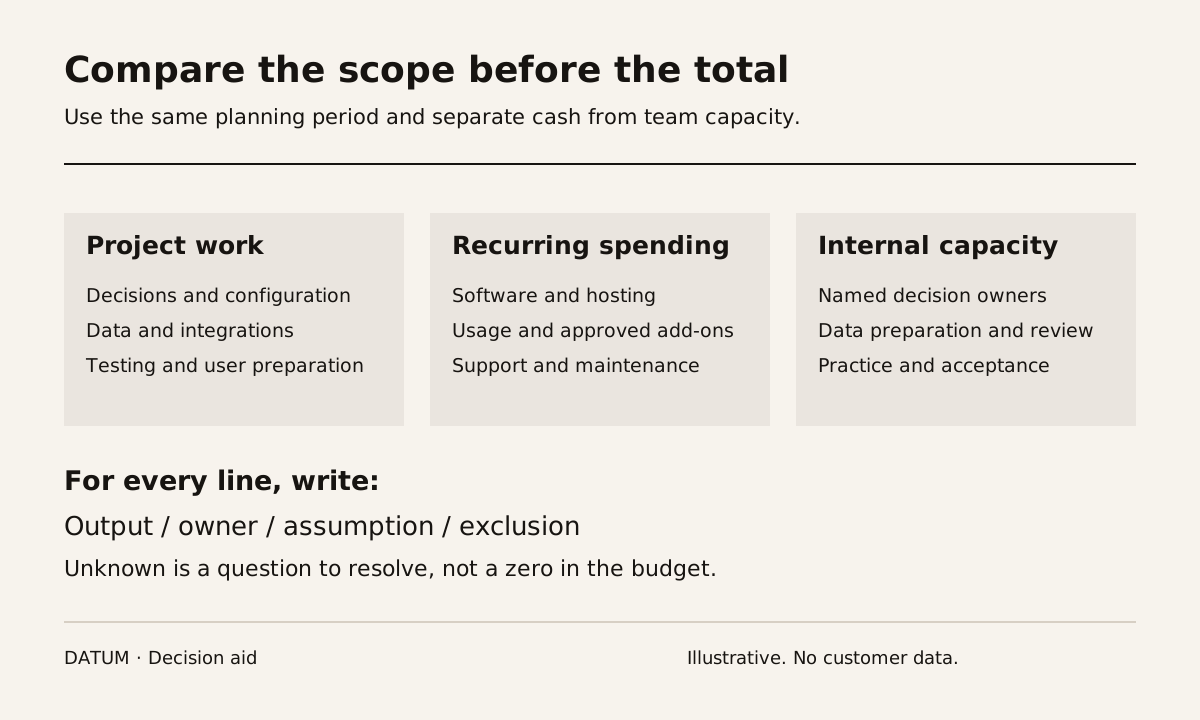
An Odoo implementation budget should explain what work will be done, what the software and hosting cost, and what your own team must contribute. A subscription price cannot answer the implementation question by itself. Neither can a consulting estimate that leaves migration, testing or adoption outside the discussion.
Odoo's current pricing page separates its software plans from implementation services. It also lists exclusions such as Odoo.sh hosting, certain usage credits and custom-code maintenance. Read the current plan and the proposed service scope together before treating either as a complete budget. Odoo pricing and included services.
The worksheet below helps you compare estimates without inventing a universal project price. It applies to an Odoo 19 Enterprise evaluation. The work and commercial terms still depend on your company, deployment and agreement.
Ask what each line buys
“Sales, Inventory and Accounting” describes applications. It does not tell you how many workflows will be configured, what history will move, which reports must reconcile or who will train each role.
Rewrite the estimate around outputs you can inspect.
| Budget component | Ask the provider to specify | Evidence that closes the item |
|---|---|---|
| Process decisions | Workflows, exceptions and decision owners covered | Approved process and acceptance scenarios |
| Configuration | Companies, locations, roles, rules and reports included | Demonstration against those scenarios |
| Data migration | Record types, history boundary, source cleanup and rehearsals | Reconciled migration results and exceptions |
| Integrations | Systems, directions, record types and failure handling | Successful normal, duplicate and failed-transfer tests |
| Custom development | Exact gap, proposed change and maintenance owner | Reviewed behavior, test results and source handoff |
| Training and adoption | Roles, tasks, materials and follow-up included | Users complete agreed tasks with their own permissions |
| Cutover and support | Changeover steps, coverage and unresolved-item handling | Accepted readiness record and support handoff |
Add an owner to each row. If your staff are expected to clean a customer list, make that explicit. Otherwise one proposal may look cheaper because it silently assigns more work to your team.
For every amount, record whether it is a fixed commitment, an estimate, a capped allowance or an excluded item. Ask what input could change it. “Integration” should not become a fixed number while the source system, credentials, available interface and transfer rules remain unknown.
Separate cash spending from staff capacity
Keep two views of the budget. The cash view includes supplier invoices, subscriptions, hosting and other approved purchases. The capacity view includes the time your employees spend deciding, preparing, testing and learning.
A useful planning equation is:
Planning cost = external project fees + software and hosting for the chosen period + approved usage and add-ons + internal project time valued at your own planning rate.
This is a management worksheet, not an accounting treatment. A controller should decide how actual spending is recorded. Keep the planning period consistent when comparing proposals: an initial project fee and a recurring subscription cover different things.
Do not invent a staff rate just to complete the equation. If it is unavailable, show hours by role separately. A plan that requires an unavailable purchasing manager is incomplete even when the external fees fit the budget.
Use a blank line for uncertainty, not a zero. “Historical attachments not yet inspected” carries a different meaning from “no attachments to migrate.”
Work through one scope change before choosing a quote
Consider a fictional manufacturer evaluating a first release covering customer orders, purchasing and inventory. Its initial migration includes active products and open orders. During scoping, the owner asks for every historical order, its attachments and a custom profitability report.
Those requests should trigger specific questions:
- Is the old history needed for daily operations, a reporting question or retention? Could a controlled archive meet the need?
- Can the source export the required fields and attachments with stable identifiers?
- Does the report use data that will actually exist in the first release?
- Who will validate the migrated relationships and the report's calculations?
- Does the extra work change the team's available testing time or the proposed launch boundary?
No percentage contingency answers those questions. Ask for the cost and schedule effect of the exact change, then choose whether it belongs in the first release, a later scope or the archive.
The same discipline applies to extensions. Odoo Online does not allow custom Python server code, while Odoo 19 documents importable XML/data modules as a separate approach. Ask what type of extension the proposal needs and confirm its deployment conditions before budgeting the work. Odoo 19 importable modules.
Compare the assumptions before the totals
Put competing estimates side by side and mark each worksheet row as included, excluded or unresolved. Check these boundaries in particular:
- The exact Odoo edition, plan, version and hosting arrangement.
- Migration objects and historical cutoff, including attachments and open transactions.
- The number and purpose of rehearsals, and who fixes rejected data.
- The business scenarios used to accept the work.
- What support covers after release, and who maintains custom code or connections.
A larger estimate may include more work. It may also include unnecessary work. Neither conclusion follows from the total alone. Ask the provider to remove ambiguity, then evaluate whether each output is necessary for the first usable workflow.
Before requesting a firmer estimate, bring one recent job or order and its records. The guide to tracing a job helps turn “we need Odoo” into a scope that someone can estimate and you can check.