
Odoo vs Business Central: follow one manufacturing order
Compare Odoo and Business Central using the same shortage, partial production and component change. Check Premium access and implementation evidence.
Compare Odoo and Microsoft Dynamics 365 Business Central using one manufacturing order with a meaningful exception. Follow the accepted requirement through components, production, delivery and the records reviewed at close. Keep product capability, commercial entitlement and implementation work visible as separate parts of the decision.
Business Central's manufacturing documentation describes production bills of materials, routings, work and machine centers, consumption and output. It states that the described manufacturing features require the Premium experience. Microsoft's licensing guidance also distinguishes selecting that experience from assigning the necessary licenses. Business Central manufacturing and Premium features and licenses.
Odoo 19 documents bills of materials containing components and quantities, with operations available when the relevant manufacturing features are configured. These descriptions identify what to investigate. They do not prove that either proposed implementation can handle your production rules without further work. Odoo 19 bills of materials.
Give both teams one shared starting packet
Create a fictional or permitted order for a product with a known component list and operation sequence. Include the customer's accepted requirement, starting stock, a component shortage and the intended user roles. Ask both teams to use the same facts.
The manufacturing production-model card helps identify which parts can be prepared ahead and which depend on the customer order. Keep that operating model constant while allowing each product to use its own sensible workflow.
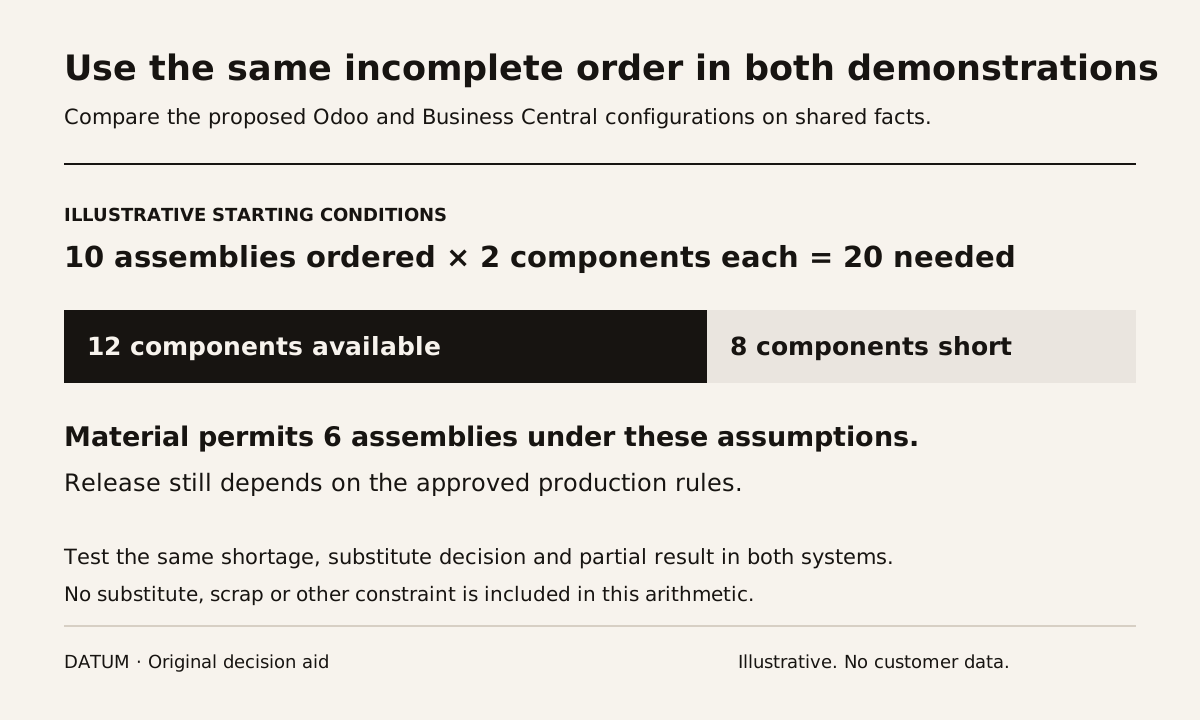
For an illustrative quantity test, request ten assemblies, each requiring two units of a particular component. Only twelve component units are initially available. The arithmetic supports six assemblies before replenishment if no substitute, scrap or other constraint applies. That is a test assumption, not a promise that a planner should automatically release those six.
Follow the incomplete order
| Decision point | What the operator should demonstrate | Evidence to retain |
|---|---|---|
| Accepted requirement | Identify the approved product, quantity and revision | Source order and definition |
| Material planning | Explain the shortage and replenishment decision | Required, available and incoming quantities |
| Production release | Show what may start and what must wait | Release state and responsible approval |
| Actual production | Record consumption and completed output | Actual quantities and operation evidence |
| Partial delivery | Distinguish ordered, produced and delivered units | Linked delivery and outstanding requirement |
| Close review | Explain remaining work and relevant cost records | Open items and traceable source records |
Do not let a demonstration jump from confirming the order to declaring it complete. The partial result is where the planner, warehouse and finance reviewer need different but connected information.
Change one component after planning
Introduce a proposed substitute after the initial plan. Ask who decides whether it is permitted, how the instruction reaches the operator and what happens to the original requirement. Then run a case where the substitute is rejected.
This is a proposed business acceptance test, not a claim that either system supplies your exact approval process by default. Record any extension, configuration, manual check or additional product required to achieve it.
Ask the operator to explain the result under their intended access. Keep the administrator available for investigation, but do not use administrator access as the only proof of daily usability.
Keep the cost explanation version specific
Have the person responsible for accounting define which records and reconciliation evidence are needed. Do not compare two screenshots with different dates or posting states and call the difference a product defect.
The Odoo 19 inventory valuation trace explains why physical quantities, stock value and accounting timing need separate inspection. Use the corresponding documented behavior and approved setup for Business Central rather than expecting the two products to create identical records.
This comparison does not choose a costing policy, tax treatment or local accounting configuration. It asks each implementation team to make the proposed behavior explainable to the responsible reviewer.
Compare the delivery scope after the scenario
For every requirement, record whether it was demonstrated, demonstrated with a limitation, still needs design or was not shown. Attach the exact environment and quoted product configuration. Microsoft's Premium distinction makes the plan-entitlement check particularly relevant, and the same discipline applies to the Odoo proposal.
Include migration, training, integrations, reporting and ongoing support in the responsibility map. A capability that exists in documentation can still require substantial agreement and preparation in your business.
The decision should identify which proposed setup handled the order and exception, which users could operate it and which unresolved items materially affect release. That evidence gives the manufacturing team a basis for selection without relying on a universal product ranking.