
Keep custom Odoo BOMs tied to the right order or revision
Distinguish approved options, one-order exceptions and shared BOM revisions in Odoo. Test the next standard order and the effect of a late change.
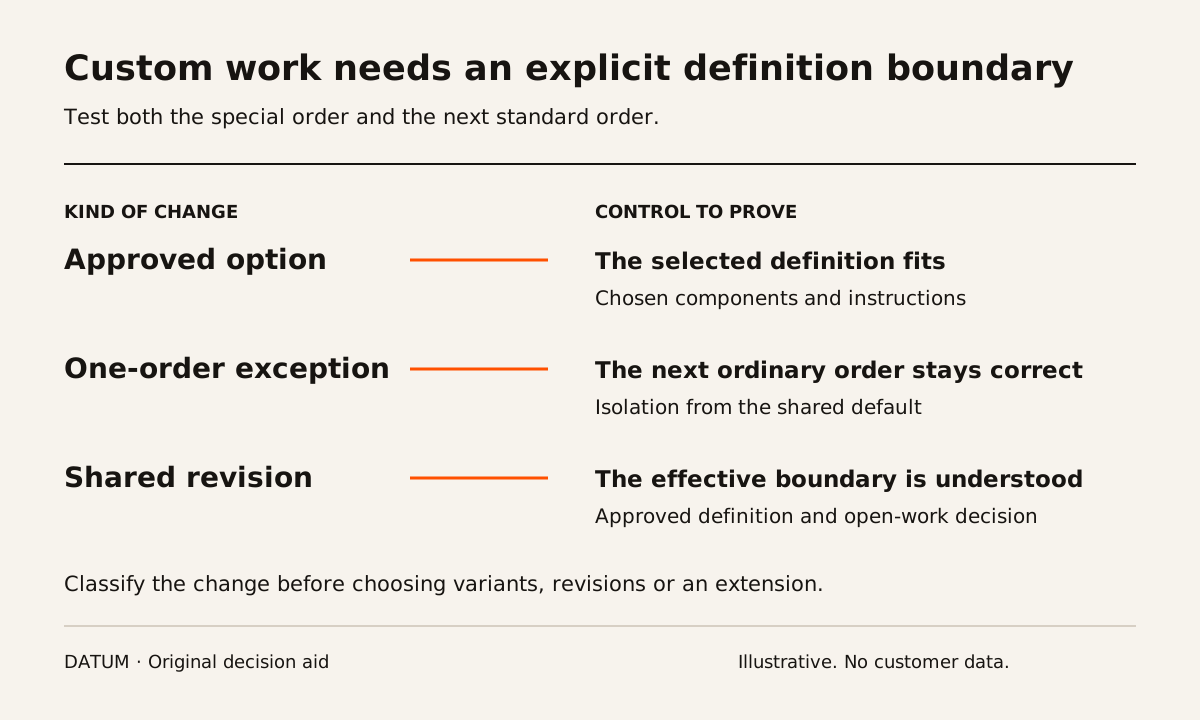
Before configuring a custom bill of materials in Odoo, decide whether the request selects an approved option, changes one order or revises the shared product definition. Those decisions have different consequences for future orders, purchasing, instructions and traceability.
A free-text note on a quotation may describe what the customer wants without defining what production may build. The operating design must connect the accepted requirement to a specific approved component and operation list.
Odoo 19 supports a shared bill of materials with components assigned to product variants. It also documents engineering change orders that keep a revised bill of materials separate from the production version until changes are applied. These are useful mechanisms to evaluate, but neither establishes that every custom order should follow the same path. Odoo variant bills of materials and engineering change orders.
Classify the difference before creating a new record
Use a recent permitted request or a fictional equivalent. Write exactly what differs from the standard product and who may approve it.
| Kind of change | Question to resolve | Acceptance evidence |
|---|---|---|
| Approved standard option | Is the choice already defined with the right components? | Selected option produces the intended requirement |
| One-order exception | How is the exception isolated from future ordinary orders? | Special order and unchanged next standard order |
| Shared product revision | Which future production should use the new definition? | Approved revision and effective boundary |
| New dimensional design | Who translates dimensions into an approved component list? | Reviewed calculation, drawing and manufacturing definition |
| Substitute during execution | Who may authorize the substitute for existing work? | Decision linked to the affected order and actual consumption |
Do not let convenience in the configuration decide which category a request belongs to. Copying a shared definition may be appropriate in one design and create uncontrolled duplicates in another. Document the chosen method and test its consequences.
Protect the next ordinary order
Consider a fictional cabinet manufacturer with a standard finish and a controlled list of alternatives. One customer requests a different internal partition that is not in the approved options.
Ask the implementer to create the exceptional order, then immediately create an ordinary order from the same starting product. Compare their required components and instructions. The exception should be visible on the intended order without silently becoming the new default for unrelated work.
This is a proposed acceptance condition. It does not assert that a default Odoo action automatically isolates every order-specific edit. The team must identify whether the design uses variants, a separate definition, controlled manual work or an extension.
The manufacturing production-model guide helps establish whether design approval occurs before the order, after acceptance or separately for selected components.
Keep the accepted requirement attached to the build
For custom dimensions, preserve the approved source, units, revision and person who translated them into the manufacturing definition. Test minimum, maximum and invalid inputs relevant to the business. A calculator producing a number is not proof that the result is manufacturable or commercially accepted.
For example, a customer measurement may require an engineering decision about allowable construction. Keep that decision with the qualified person responsible for the design. This article does not provide construction tolerances or engineering rules.
Operators should be able to identify which instruction applies without choosing among similarly named files. Ask a person who did not prepare the order to find the correct definition and explain why it is the current one.
Test what happens when the definition changes late
Introduce a revision after purchasing has started or work has been released. Inspect which records remain tied to the earlier definition and which need an explicit decision. Do not assume that applying a new shared bill of materials automatically updates open manufacturing orders in the way your business expects.
Use the component impact review to identify direct and indirect uses. Record the disposition of affected purchases, stock and unfinished work separately from the approval of the new definition.
Keep the original and revised evidence available. The acceptance test should explain what changed, who authorized it, which work uses each definition and how the operator sees the correct instruction.
Choose the narrowest maintainable design
If a defined option set meets the need, test that path before introducing a general custom configurator. If every order needs engineering, make the design-and-release work visible in the project scope rather than hiding it inside a sales field.
The final decision should name the approved options, the exception path, the shared-revision path and the person responsible for each. That makes customization a controlled operating choice with reproducible records, rather than a growing collection of special products that nobody can explain.