
Use external IDs to make an Odoo import repeatable
Make Odoo imports repeatable with stable external IDs, relation mappings and a small update test. Includes a customer-and-contact identity example.
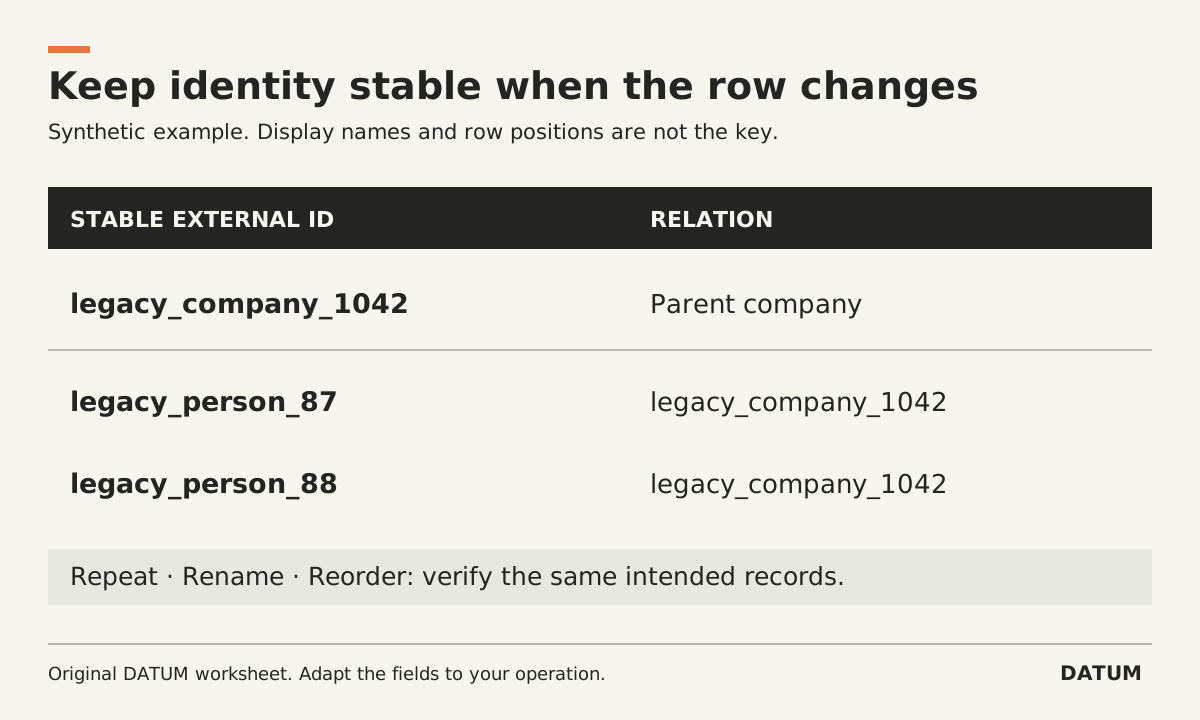
Give every imported record a stable external ID and preserve that ID in later files. Use it to update the intended record and to link related records. A row number or a name that someone can change is a poor substitute for an identity rule.
Odoo 19.0's import documentation explains that external IDs support repeat imports and relationship mapping. It also says the identifiers must be unique across records of all objects and recommends prefixes that distinguish their origin or table. Odoo 19.0 export and import
Start with a small test in a nonproduction environment. An import preview or mapping screen is not proof that the intended records were created or updated correctly.
Build the identity map before the import file
Use the source system's durable record identifier where one exists, with a consistent prefix. If it lacks one, create a governed mapping once and preserve it. Do not regenerate identifiers from the current spreadsheet row order every time the file is sorted.
Here is an invented customer-and-contact example. The labels illustrate an identity design, not exact import-column names for every Odoo model.
| Source record | Stable external ID | Display name | Related company external ID |
|---|---|---|---|
| Company 1042 | legacy_company_1042 | Sample Fabrication | Not applicable |
| Contact 87 | legacy_person_87 | Alex Sample | legacy_company_1042 |
| Contact 88 | legacy_person_88 | Jordan Example | legacy_company_1042 |
The company and person prefixes avoid a collision if two source tables both contain record 87. They also make the mapping understandable during a correction.
Use synthetic names during the first rehearsal. Real migration data should stay in the approved environment with access limited to the people doing the work.
Import the relationship deliberately
Import the parent records before records that depend on them, unless your tested import method explicitly supports another sequence. Map the child relation using the appropriate external-ID field rather than hoping the display name finds the intended company.
Odoo's documentation describes using a related field's external-ID form to reference another imported record. Obtain the exact columns from an import-compatible export or the current import mapping for the target model, and test them in your configured version. Odoo relationship imports
For an Enterprise implementation, record the target release and installed applications. Use this 19.0 reference as a guide, then verify an Online SaaS version or customized model directly.
A successful test should show the contact linked to the intended company, not merely that the file produced no error message. Include two similarly named companies in a synthetic test if name ambiguity is a risk in your source data.
Repeat the file and inspect the result
Create a test sheet with three records and a saved expected count. Import it once. Record the resulting IDs and relationships. Then repeat the same logical import using the same external IDs.
Next, change one permitted descriptive field while keeping its external ID. The expected outcome is an update to that same record, with no extra record created. Inspect both the changed field and the relationship that should remain intact.
| Test | Expected evidence |
|---|---|
| First import | Intended records and links exist |
| Identical repeat | No unintended duplicate records |
| Changed display name | Same identity, updated permitted value |
| Reordered file | Same identities despite different row positions |
| Duplicate external ID in source | Detected and resolved before the approved import |
| Missing parent reference | Explicit exception, not a guessed relationship |
These are acceptance criteria to prove in the target environment. Stable identifiers help; they do not excuse incorrect field mapping or bad source data.
Decide what blank cells mean
The Odoo documentation distinguishes a field omitted from an import from a field supplied with an empty value. Do not treat “blank” as a universal instruction to leave the existing record unchanged. Test the behavior for the fields and update flow you intend to use. Odoo import field behavior
Create a deliberate example with an existing value, then compare an update that omits the field with one that includes it empty. Have the data owner approve the intended result before scaling up.
Keep the mapping file, tested import version, record counts and exception log together. The ERP acceptance-test method can capture the evidence for the repeat and update cases. The aim is an import another person can run and reconcile using the same identities, without depending on the original spreadsheet author's memory.