
Make approval authority visible in Odoo role design
Separate preparation, approval and execution in Odoo roles. Test Studio approval steps, delegation and alternate action paths against the business rule.
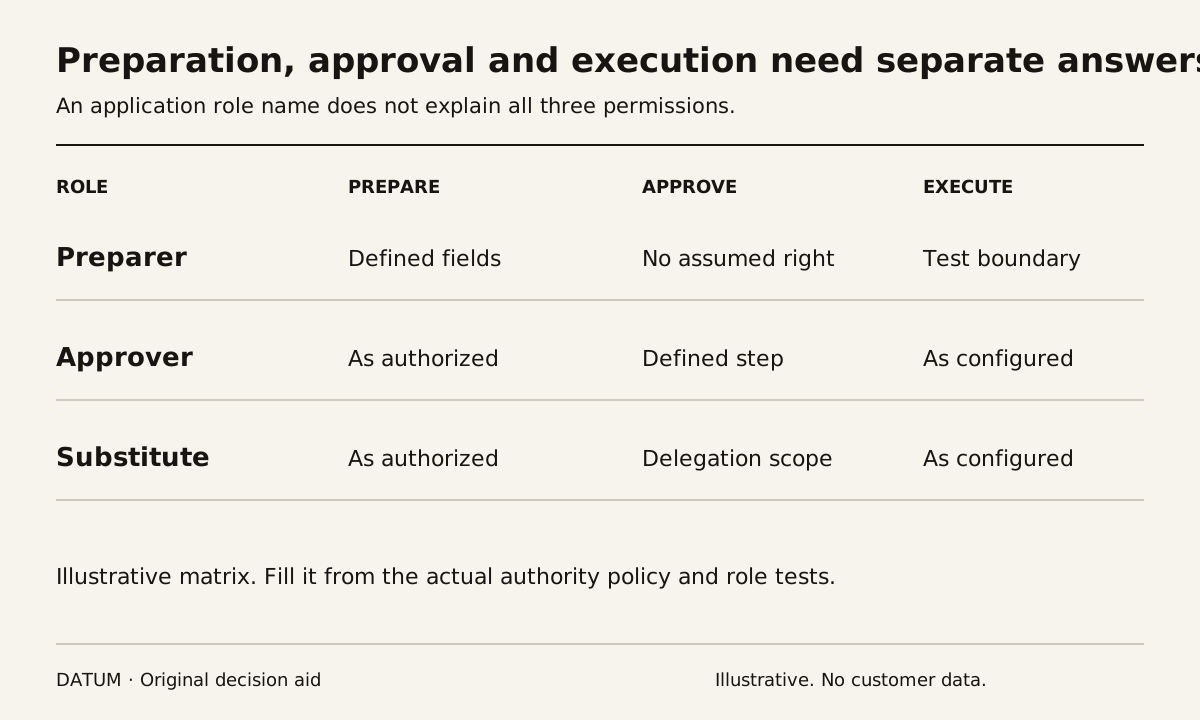
Design Odoo roles around the actions a person may prepare, approve and execute. Access to a record is only one part of that design. A buyer may need to draft a purchase without having authority to approve every commitment, and a manager's access should not silently erase a required second decision.
Write the authority rule in business terms first. Then identify the configured control and test it under the intended roles. A policy saying “manager approval required” does not establish that the software prevents another route to the same result.
Separate three decisions in the role sheet
Use one action with a real consequence, such as confirming an order above a business-defined threshold. Do not introduce a threshold from an industry average. Have the accountable owner supply the actual rule and any permitted exceptions.
| Role question | Evidence to specify |
|---|---|
| Who may prepare? | Record type, company and fields they may enter |
| Who may approve? | Named authority or group and conditions covered |
| Who may execute? | Button or action that completes the change |
| Must two people participate? | Independence rule and prohibited combinations |
| What invalidates approval? | Material fields or record-state changes requiring review |
| Who substitutes for an absent approver? | Delegation scope, duration and owner |
| How is the decision investigated? | Approval entry, record history and resulting state |
The AI approval-policy worksheet applies the same separation when an assistant participates. The present exercise concerns ordinary Odoo roles as well as automation; the business authority should not change merely because a different interface initiates the request.
Understand the controls being proposed
Odoo 19 access-rights documentation distinguishes user and group permissions and a record-rule layer. Review the effective groups of the test users, including inherited access, rather than judging the role from its display name. Odoo 19 access rights.
Studio's approval rules apply approval steps to actions performed through a button. They can identify approvers or an approver group and conditions for the step. Where multiple steps exist, Exclusive Approval prevents one user from approving another step for the same record. The documentation also describes ordering, delegation and approval tracking. Odoo 19 Studio approval rules.
That feature description is narrower than a promise of complete separation of duties. Exclusive Approval concerns the configured approval steps; it does not by itself establish every rule about who created the record, who may edit it or which alternate action paths are available. Ask the implementer to demonstrate the whole boundary.
Use a person-by-action test matrix
Create permitted test identities for the preparer, approver and substitute. Record their effective access before running the cases. Start with a normal request that should succeed, then test these conditions:
- The preparer attempts the controlled action without approval.
- The approver completes the intended step and the correct person executes the action.
- One person attempts both steps where separate approvals are required.
- A material value changes after approval but before execution.
- The primary approver is absent and the proposed delegation is used.
- An alternate enabled interface attempts the same business action.
Case four is a requirement to verify, not a claim that every changed field automatically cancels every Odoo approval. Record which fields the business considers material and what the configured design actually does.
For the last case, inspect only interfaces the workflow really enables. If an integration can perform the action, it belongs in the test. A passing button test should not be treated as evidence about an untested integration path.
Review delegation as authority, not convenience
The Studio documentation states that named approvers can delegate approval rights across all records, with an optional end date. Confirm that the proposed delegation is appropriate for the intended authority; do not assume it is limited to the one record that prompted the absence discussion.
Keep a clear owner for removing or changing access when responsibilities change. Have that owner inspect the resulting rights rather than relying on a task marked complete in another system.
Retain the test request, acting identity, approval evidence and final record state. If a prohibited action succeeds, hold that action while the control is corrected. The accepted role design should explain who can do what and show the evidence that the intended separation works.