
Inventory accuracy: Find the transaction behind the wrong count
Investigate inventory discrepancies by tracing the last reliable count and subsequent movements. Includes a location-based log and a worked quantity example.
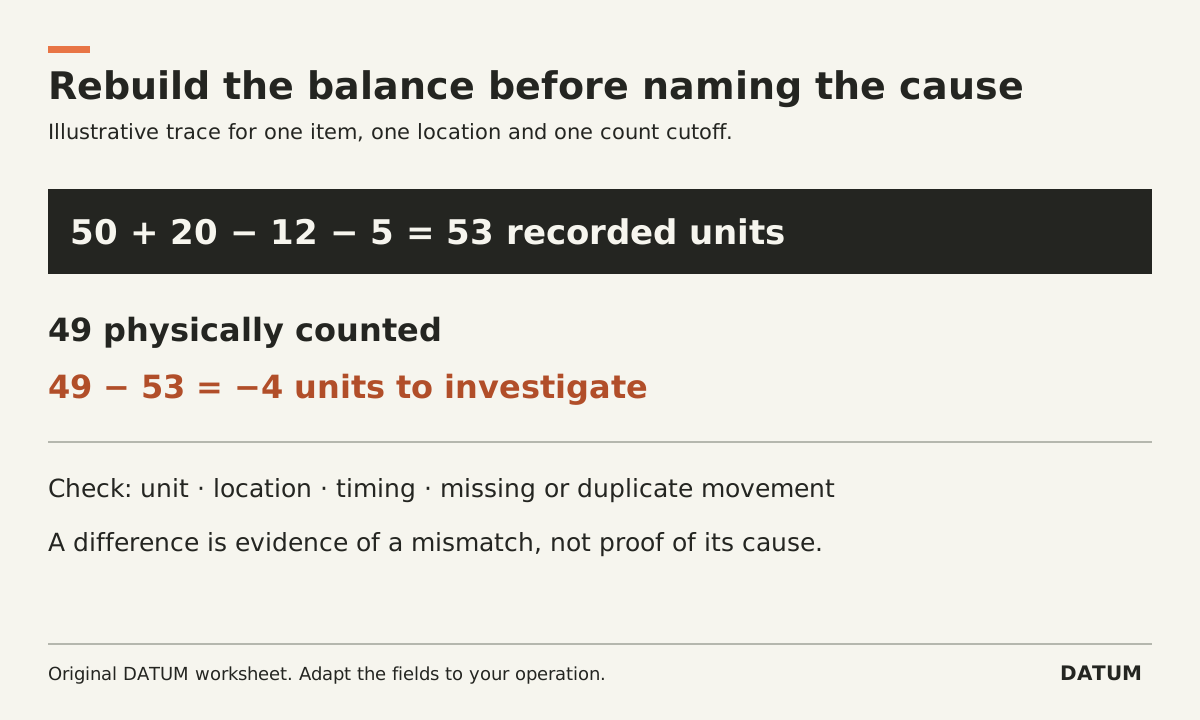
A recount tells you whether the recorded quantity is wrong. A transaction trace helps explain why. Start with one item in one location, establish the last reliable count, and follow the movements since that point before deciding what to correct.
Keep two tasks separate: bringing the quantity record back into agreement with verified stock, and preventing the same discrepancy from recurring. An adjustment may solve the first without answering the second.
Set a clear counting boundary
Identify the item, location, unit of measure and any relevant lot, serial or package. Record the time of the count. If receiving, picking or production continues during the count, capture those movements so a later comparison uses the same point in time.
Odoo 19.0 documents cycle counts by storage location and a configurable counting frequency for each location. That gives an Odoo team a way to organize repeat counts; the frequency still needs to reflect the business's own needs. This article does not adopt the documentation's broad statements about annual counting as a legal or accounting requirement. Odoo 19.0 cycle counts
Ask the counter to record what was physically counted, not the number they expected to see. For a disputed result, have a second person verify the item identity, units and location as well as the quantity.
Rebuild the quantity from the last trusted point
Use this invented example. A verified opening count showed 50 units in location A. Since then, the records show a receipt of 20, an issue of 12 and a transfer out of five:
50 + 20 − 12 − 5 = 53 recorded units.
The new physical count is 49, leaving a difference of 49 − 53 = −4. That difference does not prove four units were lost. It could reflect a counting mistake, an unrecorded movement, the wrong location or a unit mismatch. The trace must distinguish those possibilities.
| Event | Record reference | Quantity effect | Evidence to inspect |
|---|---|---|---|
| Last verified count | Count A | 50 opening | Item, unit, location and cutoff |
| Receipt | Receipt B | +20 | What arrived and where it was put |
| Production issue | Issue C | −12 | What left the location and for which work |
| Internal transfer | Transfer D | −5 | Source and destination evidence |
| New physical count | Count E | 49 actual | Independent recount and movements during count |
If you find a verified four-unit issue that occurred before the cutoff but was not recorded, the calculation becomes 53 − 4 = 49. That explains this example's difference. It does not prove the rest of the stock is accurate.
Log the cause without guessing
Create one discrepancy row with the item and location, counted quantity, recorded quantity, difference, evidence, suspected cause, confirmed cause and corrective owner. Keep “suspected” and “confirmed” separate.
Useful investigation questions include whether the same item exists under another identifier, whether a pack was counted as an individual unit, whether a return went into a different location, and whether a production issue was recorded twice. These are hypotheses to test, not a list of causes to assign without evidence.
Look at the pattern across several resolved discrepancies. Repeated late receiving entries call for a different fix from a confusing item label. Do not respond to every discrepancy by increasing count frequency while leaving the transaction process unchanged.
Apply the approved correction and retain the explanation
In Odoo 19.0, entering a counted quantity and applying an inventory adjustment are distinct steps. The documentation also states that an applied adjustment creates a stock-move record for traceability. Verify the relevant workflow in your configured release and permissions before changing live stock. Odoo 19.0 inventory adjustments
Have the inventory owner choose the appropriate correction with finance where required. Avoid creating a second movement merely because a difference exists; first determine whether the original transaction needs correction under your process. Retain the count evidence and explanation with the approved action.
For an Odoo Enterprise project, use the 19.0 reference as a starting point and confirm installed applications and exact release, particularly for an Online SaaS environment.
Close the investigation by repeating the affected transaction with a new permitted test or observation. The one-job tracing method helps follow the handoff between the person moving stock and the person recording it. Your evidence should show both that this count is reconciled and that someone owns the process defect that caused it.