
Engineering change orders: Keep the approved revision with the work
Build an engineering change release record that connects approval, effective use and open orders. Includes a revision-disposition worksheet for production.
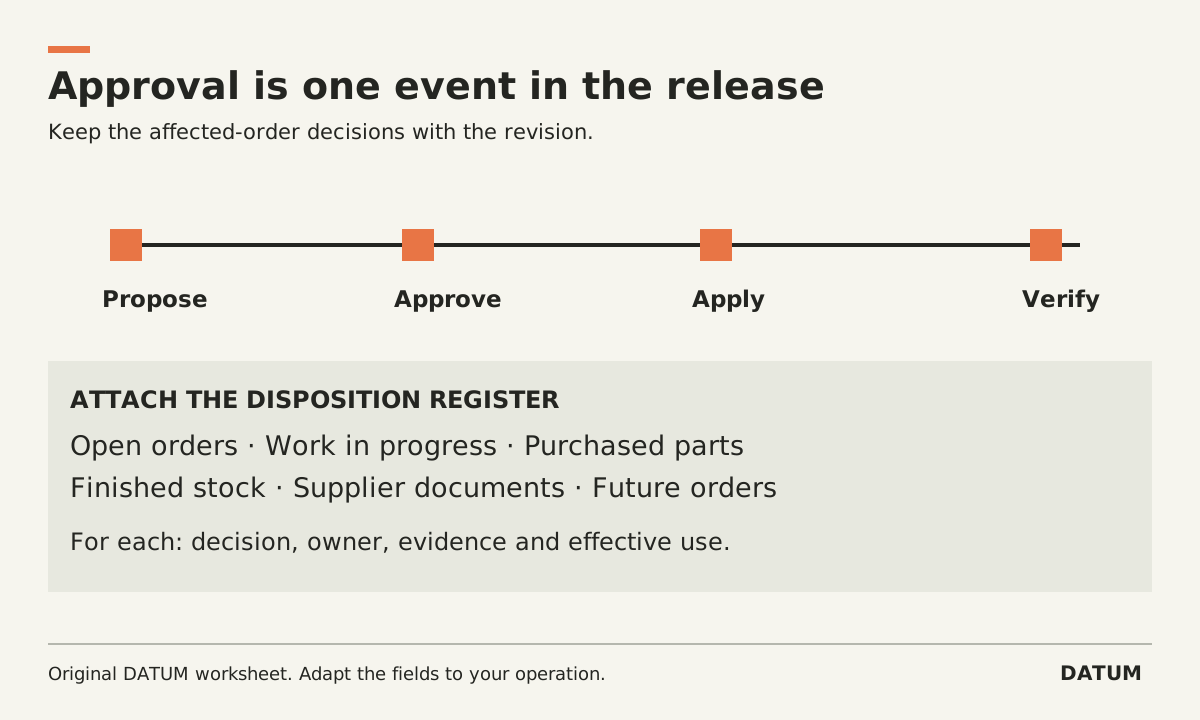
An engineering change is ready for use when the approved revision, its effective use and the treatment of affected work are clear. Approval alone does not answer what happens to parts already purchased or orders already on the floor.
Create a release record that connects those decisions. Keep the proposed design separate while it is being reviewed, then verify what production actually sees after the change is applied. The workflow below is an operating method you can adapt, with specific Odoo 19.0 references where relevant.
Give the change a boundary
Start the change record with the current item and revision, proposed revision, reason, affected documents and responsible person. State whether the change concerns components, quantities, operations, instructions or a combination. Attach the evidence used to evaluate it.
Avoid a description such as “update drawing.” Write the actual difference: which feature or component changes and which output must remain compatible. The technical decision belongs to qualified people responsible for the product. The release record should preserve their decision so the next team does not have to reconstruct it.
For an Odoo 19.0 Enterprise setup using PLM, the documented ECO workflow starts a revision separate from the production BOM. Component and operation changes remain in that revision until applied. Confirm the installed applications, configured stages and permissions; do not assume a different SaaS release behaves identically. Odoo 19.0 engineering change orders
Classify affected work before release
Make an explicit list of the records that could be affected. A useful starting sheet is below. The dispositions are questions to decide, not automatic software behavior or engineering advice.
| Affected record | Current state | Decision required | Evidence to retain |
|---|---|---|---|
| Future orders | Not released | Which revision applies from what point? | Effective rule and approver |
| Open order, not started | Released against the old definition | Keep, update or replace the release? | Order-specific disposition |
| Work in progress | Some operations completed | Continue, rework or hold? | Technical assessment and responsible owner |
| Purchased components | Ordered or received | Use, return, segregate or review? | Purchasing and engineering decision |
| Finished stock | Already produced | Is further action required? | Approved stock disposition |
| Supplier documents | Earlier revision shared | What must be reissued and acknowledged? | New document and acknowledgment |
Use stable record IDs. “All open jobs” is hard to verify after more jobs arrive. Capture the set reviewed and state how newly created work will be handled during the transition.
If a category is unaffected, record why. That is more useful than leaving an empty cell that could mean someone forgot to check.
Separate approval from applying the change
Odoo's 19.0 ECO documentation describes verification stages requiring approval before changes can be applied. Applying the approved change replaces the production BOM with the revised one and archives the previous production version. Treat that documented action as one part of the release, not proof that every existing order now carries the right instructions. Odoo ECO approval and application
In the release record, capture the authorized revision, approval evidence, intended effective condition and person applying it. Then inspect a new order and the affected existing orders separately. This article does not assume that an ECO automatically updates work already released.
A date is sometimes enough to describe intended use; in other cases a particular order or serial range matters. Have the responsible engineering and production owners define the rule and have the implementation team demonstrate how it is represented. Do not substitute a convenient software field for an unresolved business requirement.
Check the document the operator opens
A correct BOM with an old PDF attached still leaves a problem at the workbench. Include drawings, instructions and other relevant files in the release check.
Odoo 19.0 documents design-file changes inside an ECO and their application to the production BOM. It also describes access to former versions and related design files through ECO history. This supports checking both the current instruction and the retained historical evidence. Odoo 19.0 version control
Ask an operator using the intended permissions to open the instruction from the actual work record. Record its revision. Repeat for a deliberately retained old-revision order so the test checks both cases. Any printed traveler or local file copy needs an explicit replacement or retention decision as well.
Finish with a traceable release check
Your completed record should let someone answer four questions without asking the person who made the change: what changed, who authorized it, where it applies, and which instruction was available for the work performed.
Use the one-order tracing method if the chain breaks between engineering and production. Keep unresolved dispositions visible and assigned. Closing the ECO card is useful only when the people receiving the work can identify the approved version they are meant to use.