
Odoo AI on-premise: Check the database, extension and provider separately
Check Odoo 19 AI deployment prerequisites without confusing the core database minimum, pgvector support and external model-provider configuration.
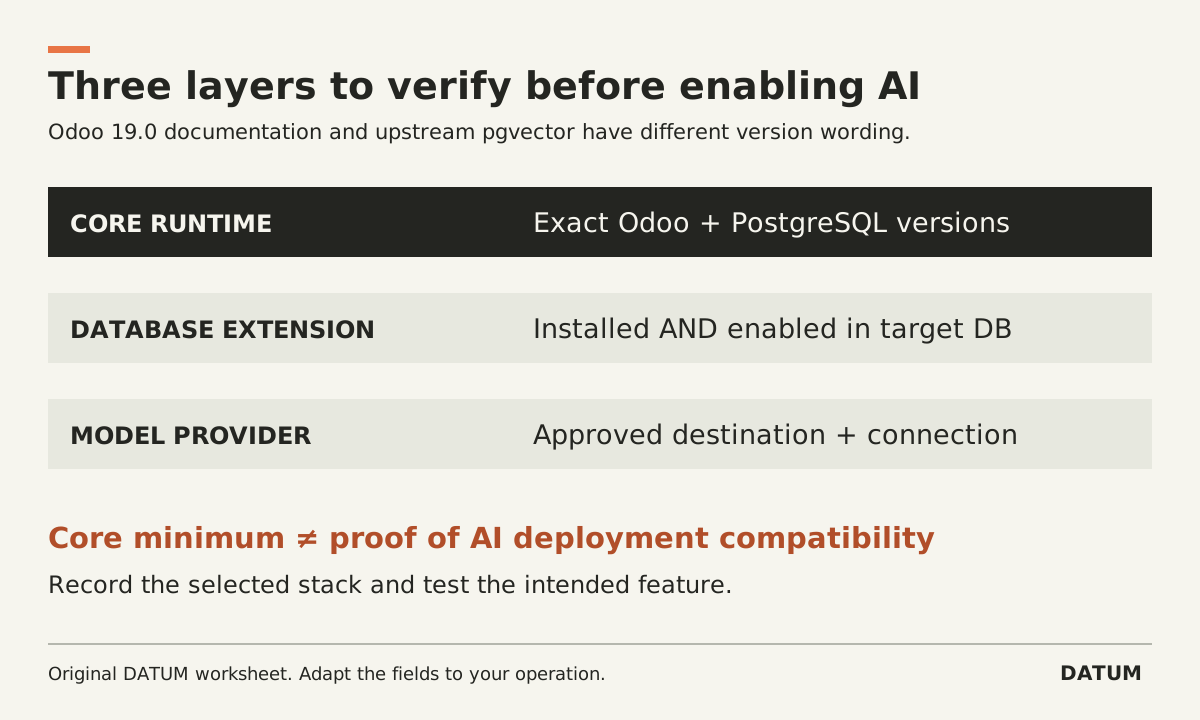
Before enabling Odoo 19 AI on-premise, check three separate layers: the Odoo runtime and database, the vector extension in the target database, and the model-provider connection. A working ERP login proves none of the other two layers.
A real Odoo forum question about a Windows installation with PostgreSQL 12 prompted this checklist. The question is evidence of an implementation concern, not authoritative installation guidance. The primary references below are the Odoo 19.0 source-install documentation, Odoo's AI-provider documentation and pgvector's own installation instructions.
Do not equate the core minimum with AI readiness
Odoo's 19.0 source-install guide says its minimum PostgreSQL requirement changed from 12 to 13. The same guide states that Odoo AI features require the pg-vector extension and includes a note referring to PostgreSQL 15 and above for that extension. Therefore, a PostgreSQL 12 environment should not be treated as meeting the documented Odoo 19 core requirement. Odoo 19.0 source installation
There is an important source distinction: pgvector's current upstream README says its extension supports PostgreSQL 13 and above. That differs from Odoo's note linking availability to PostgreSQL 15 and above. Do not repeat that Odoo wording as a universal limitation of pgvector, and do not use the upstream minimum alone as proof that a particular Odoo AI deployment is supported. pgvector installation README
Resolve the actual combination with the deployment owner and current support guidance: Odoo release, operating system, PostgreSQL version, extension version and installation method. Preserve the references used. A lower-level component supporting a version does not establish the compatibility of the whole application stack.
Record what is installed, then what is enabled
A database server can have extension files available without the extension being enabled in the database Odoo uses. Pgvector's README distinguishes installing the extension from enabling it in each database. Treat those as separate checks. pgvector setup instructions
Use this preflight record before changing the live environment:
| Layer | Evidence to capture | Question it answers |
|---|---|---|
| Odoo | Exact release, edition and required add-ons | What application is actually running? |
| Operating system | Version, architecture and installation method | Which installation instructions apply? |
| PostgreSQL | Actual server version used by Odoo | Does the target match the planned stack? |
| Extension installation | Installed pgvector version and target server | Are the needed extension files available? |
| Target database | Extension-enabled state in that database | Can this database use the extension? |
| Model provider | Approved provider/account and configured connection | Where will model requests go? |
| Recovery | Tested backup/restore and change plan | Can the environment be recovered if the change fails? |
Keep secrets out of this record. A credential check should record its owner and whether the connection works, not the secret value.
For Windows, use instructions matching the selected PostgreSQL installation and build method. The upstream README includes a Windows-specific build procedure. Do not mix binaries or commands from a Linux walkthrough into a Windows environment without verifying the supported installation path.
Local Odoo does not mean local model processing
Odoo's 19.0 AI API-key documentation describes provider settings for Gemini and OpenAI and states that API keys are required for Odoo.sh and on-premise databases to use AI features. That is a separate dependency from the local database extension. Odoo 19.0 AI API keys
Identify the provider and destination for the feature you intend to enable. Review which business data the feature will send under your organization's approved rules. Do not describe the system as entirely local merely because Odoo and PostgreSQL run on your server.
The AI input-minimization worksheet helps identify unnecessary outbound fields. It does not change the provider's processing terms or prove that a particular built-in feature supports every proposed field-selection rule.
Rehearse the smallest useful operation
Use a nonproduction environment with permitted test data and the intended application version. Confirm a basic Odoo workflow before adding the AI feature, then test the specific AI operation under an ordinary authorized role. Capture the result and relevant error evidence without logging credentials or unnecessary business content.
Classify a failure before changing several layers at once: application dependency, database version, missing extension, target-database enablement, provider credentials, network access or permission. A generic failure message is not evidence that upgrading one component will solve it.
Keep the production decision pending until the owner can show the selected stack, a tested recovery path and the feature's result in that environment. This checklist deliberately does not provide an untested production-upgrade command sequence. Its output is a concrete deployment record and a small proof of the intended feature, not just an installed module.