
AI in a landscape business: Turn field notes into reviewable office records
Extract completed work, unresolved items and requests from landscape field notes without turning a suggestion into approved work. Includes a synthetic example.
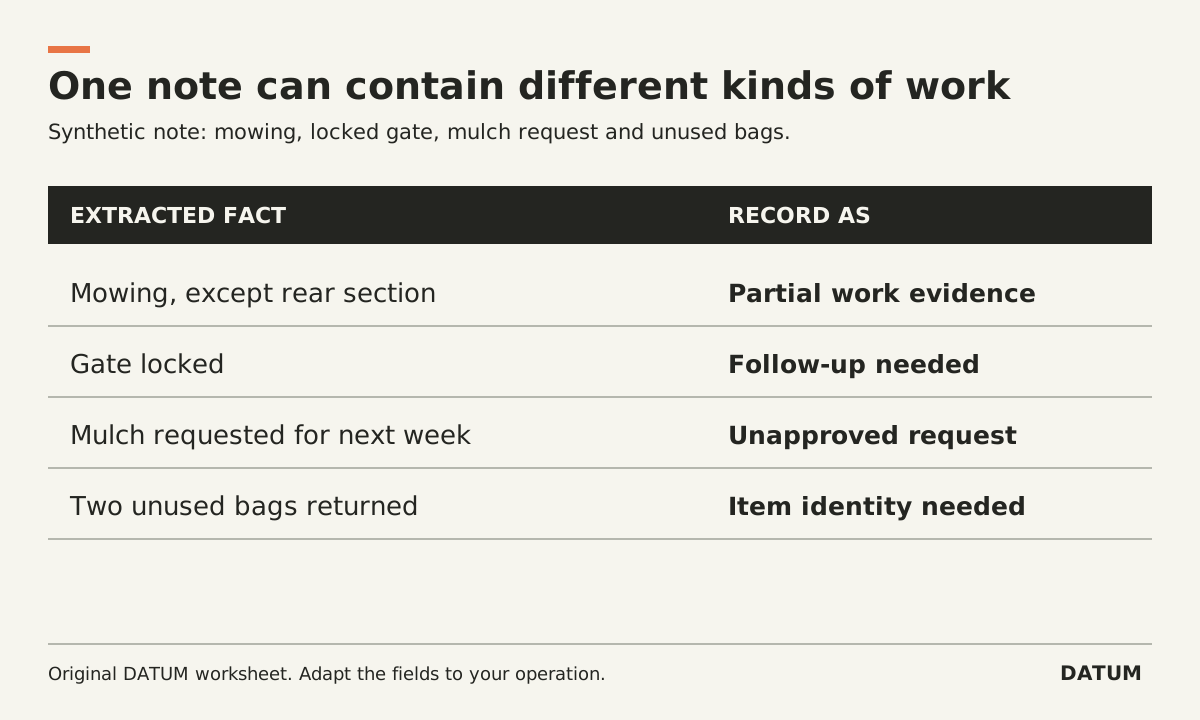
Use AI to propose structured fields from landscape notes while preserving the difference between completed work, an observation and a request. The office should review those distinctions before the draft updates a job, creates an extra or supports a bill.
The useful output is a short record with evidence, not a smoother version of every sentence the crew wrote. Start with one note type and a limited set of fields. Broader access and more autonomous actions are separate decisions.
Work through a note that contains three kinds of information
Here is an invented note, not a customer record:
Finished the scheduled mowing at site 17. Left the rear section because the gate was locked. Owner asked whether we could add mulch by the entrance next week. I said the office would call. Two bags from the truck were brought back unused.
A draft that says “mowing complete, mulch scheduled next week” would lose two important distinctions. The rear section remains unresolved, and the mulch is a request awaiting the office's response.
Use this extraction sheet:
| Proposed field | Draft value | Source support | Review action |
|---|---|---|---|
| Work performed | Scheduled mowing performed except rear section | First and second sentences together | Confirm the completion rule |
| Unfinished work | Rear section inaccessible due to locked gate | Second sentence | Assign follow-up under the agreed process |
| Customer request | Mulch by entrance, requested for next week | Third sentence | Create a request for review, not approved work |
| Commitment made | Office will call | Fourth sentence | Assign the callback |
| Returned material | Two unused bags returned | Final sentence | Identify item and unit before any stock update |
The draft should also preserve the note's reference and date. Do not infer the exact product inside the bags or a completed warehouse return from the phrase “brought back.” The physical event and the recorded transaction may still need confirmation.
Define where an empty field is the correct answer
A model should not fill every field simply because a form exists. In this example, the mulch price, authorization and product are unknown. The identity of the returned material is also unknown. An explicit missing value with an assigned question is more useful than a plausible guess.
Write the output rule for each field: extract a supported value, quote or reference the evidence, or mark it unresolved. Keep observations in their own category. A crew member saying that an area looks dry does not by itself authorize an irrigation change or establish a technical cause.
NIST's AI Risk Management Framework emphasizes context, evaluation and management of identified risks. The extraction method here is an original operational application of those principles, not a NIST-approved workflow or a claim about a model's accuracy. NIST AI RMF Core
Test the places where a note changes meaning
Build several synthetic or permitted examples. Include a correction, a negation, a missing unit and two properties mentioned in one note. Have the office create the expected structured record before testing the AI draft.
An especially useful case changes “customer approved” to “customer asked for a price.” The resulting field should change from approval evidence to an unapproved request. Another changes “used two bags” to “returned two bags.” The quantity may be the same while the event is different.
Record unsupported additions, omitted qualifiers, wrong job assignment and lost uncertainty separately. A grammatically tidy output does not compensate for an extra being treated as authorized.
Keep record updates behind the intended review
During the pilot, send the draft to a review queue. Let the responsible office role accept, correct or reject the fields. Preserve the original note and the reviewed result so another person can explain the change.
The AI data-permissions worksheet helps define which records the workflow may read and which actions remain blocked. Do not assume that a draft-only interface prevents writes if the connected account has broad access; verify the actual action boundary in the implementation.
For the operating process itself, the landscape workflow evaluation separates recurring work, extras and billing. An AI extraction pilot should respect those distinctions rather than invent a new approval path.
Measure the office work left after extraction
Count the time spent selecting notes, checking the draft, asking follow-up questions and entering the approved result. Keep a small set of recurring error cases and rerun them after any prompt or field change.
The pilot earns further use when the office can obtain a more usable record with acceptable total effort and error handling. It has not proved that the AI should schedule the mulch, close the whole visit or update inventory without the additional evidence those actions require.