
Give your AI workflow an accountable execution identity
Define who owns an AI workflow, which account performs its actions and how to retire access. Test attribution, credential replacement and shutdown.
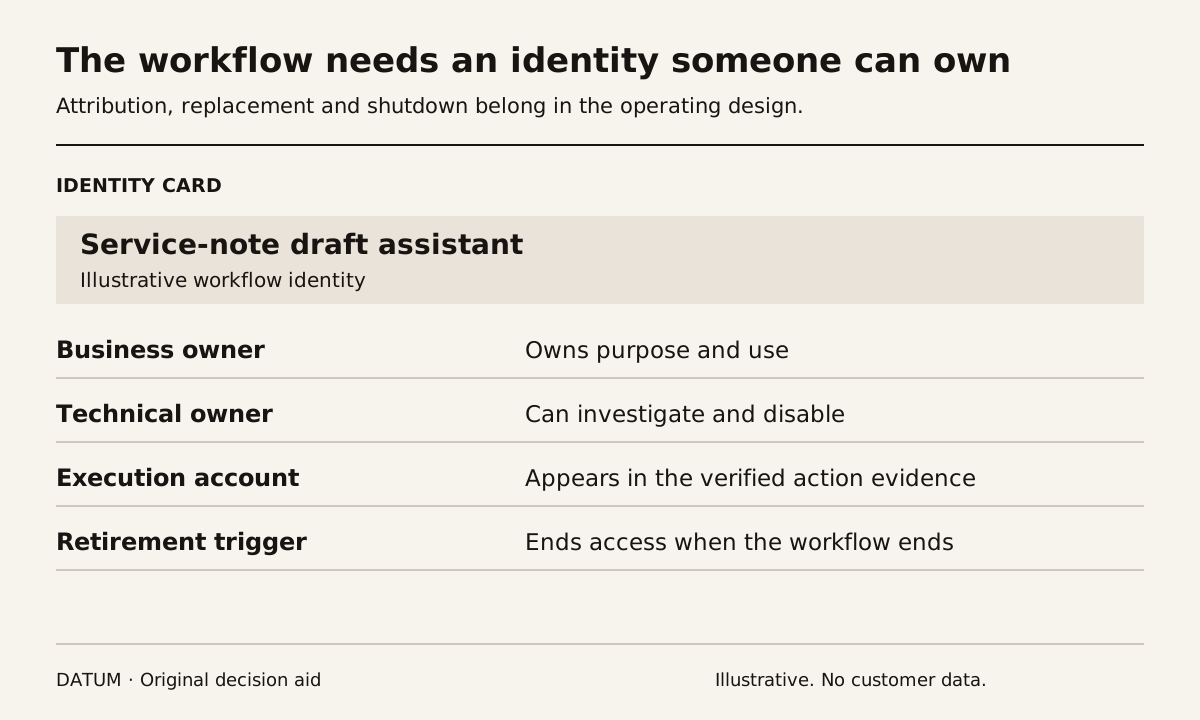
Give a recurring AI workflow an identity that the business can recognize, limit and retire. Record who owns it and how its actions will be distinguished from a person's work. Connecting an assistant through a convenient employee account can make later investigation depend on guessing which actions that employee performed personally.
For Odoo 19 JSON-2 integrations, the official documentation recommends dedicated bot users for extended automated use. It explains that the bot can receive minimum permissions and that access-log fields use the bot identity. Odoo also recommends separate API keys by service or integration to make auditing and revocation easier. Odoo 19 external API.
Those facts concern an API execution identity. They do not prove that every native AI feature, third-party connector or browser assistant uses the same path. Identify the actual mechanism before applying the design.
Create an identity card before issuing credentials
Name the workflow in terms an operating owner understands, such as “service-note draft assistant.” A technical identifier can accompany it, but the person reviewing an unexpected record should be able to find the responsible owner without decoding an internal project nickname.
| Identity field | What to record |
|---|---|
| Business purpose | One named task and its permitted outcome |
| Execution mechanism | Native feature, API integration or another specified route |
| Account or service identity | Stable identifier visible to administrators |
| Business owner | Person responsible for the workflow's use |
| Technical owner | Person who can disable access and investigate failures |
| Permitted environment | Test or production, with the actual destination identified |
| Credential reference | Location in the approved secret store, without copying the secret |
| Review and retirement trigger | Role change, workflow replacement, incident or end of use |
The card is a pointer to the control, not a container for passwords. Keep credential values out of project notes, prompts and ordinary activity logs.
Prove attribution with a harmless draft
Choose one permitted action in a rehearsal environment. For example, an assistant may prepare a draft internal note from an authorized service report. Record the source reference and ask the administrator to show the execution identity and resulting record.
Have a person create a separate comparison record under their own account. Confirm that the reviewer can distinguish the two. If the actual interface records a shared identity or omits necessary context, identify the additional evidence required before enabling the workflow.
The record's creator field is useful but may not explain the entire operation. Preserve the workflow run reference and source item so an investigator can connect a visible change to the request that caused it. Avoid claiming that one access field constitutes a complete audit trail.
Use the Odoo tool-action tests for the permitted and prohibited effects. Identity makes responsibility traceable; it does not replace action-level testing.
Keep the identity independent of one employee's availability
Assign both the operating and technical responsibilities to current roles with named holders. If one person leaves or changes jobs, another authorized person should know which workflow exists, what it does and how to stop it.
Review the actual access when that ownership changes. Do not merely update a project document while leaving an old account or secret in use. Test the replacement connection in the approved environment and inspect which identity performed its action.
Odoo's API documentation describes a key-rotation sequence that verifies services using the replacement before revoking the previous key. Plan that transition with the administrator; do not improvise by pasting a second credential into an untracked script. Odoo API key management.
Rehearse stopping the workflow
Ask the owner to demonstrate how new work is paused and how queued or uncertain actions are identified. Disabling access should not erase the evidence needed to determine what already happened.
In a permitted test, revoke the rehearsal credential and confirm that the connection no longer performs its action. Keep the rejection evidence and inspect the destination. The desired result is a stopped workflow with an explainable last completed item, not a silent retry loop that nobody monitors.
The data-permission worksheet defines the narrower records and fields available to this identity. Revisit that scope when the task changes rather than reusing the same account for every new assistant.
An identity is ready when the team can attribute an action, name its owners, replace its access and stop it without losing the history of the work.